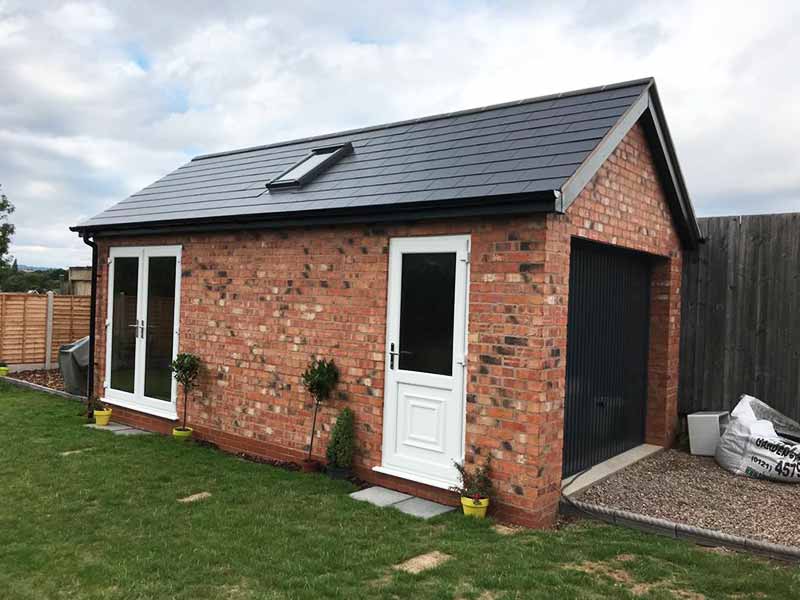
A growing number of UK homeowners now treat their detached garage as something far more than a place to park the car. Home offices, workshops, studios, gyms, and hobby rooms have all migrated into these outbuildings, and every one of those uses demands a reliable internet connection. The problem is that most home broadband setups were never designed to cover a separate building ten or twenty metres away, across a gap of open air, brick, and sometimes a concrete floor.
Getting broadband to a detached garage is entirely achievable, but the right approach depends on the distance involved, the construction of both buildings, your budget, and what you actually need the connection for. This guide walks through the main options available in the UK, from the cheapest quick fixes to permanent installations.
Why You Might Need Broadband in Your Detached Garage
The shift to remote and hybrid working since 2020 has been the single biggest driver. According to the Office for National Statistics, around 28% of UK workers operated on a hybrid model as of 2023, and many of them need a dedicated workspace away from the main household. A detached garage, already separate from domestic distractions, is an obvious candidate.
Beyond home offices, reliable internet opens up smart security cameras, streaming music in a workshop, running point-of-sale software for a small business, or controlling smart home devices in an outbuilding. Video calls, large file uploads, and cloud-based software all need a stable, reasonably fast connection. A weak or intermittent signal will not cut it.
The challenge is straightforward: your router sits inside your house, and your garage sits outside it. Walls, air gaps, metal garage doors, and sometimes significant distances all degrade Wi-Fi signals. Each of the solutions below tackles that gap differently.
Option 1: Extending Your Home Wi-Fi
The most common starting point is to push your existing home Wi-Fi signal out to the garage. There are three main ways to do this.
Wi-Fi extenders (repeaters) pick up your router’s signal and rebroadcast it. They are cheap, typically £20 to £50, and require no wiring. You plug one into a socket somewhere between your router and the garage, ideally near a window facing the outbuilding. The catch is that repeaters halve your available bandwidth because they use the same radio channel to receive and retransmit. If your starting speed is 80 Mbps, expect 30 to 40 Mbps at best in the garage, and often less.
Mesh Wi-Fi systems from brands like TP-Link Deco, Google Nest Wifi, or BT Whole Home are a step up. These use multiple nodes that communicate with each other on a dedicated backhaul channel, preserving more of your original speed. Placing a mesh node in a room closest to the garage, or even inside the garage itself if the signal reaches, can deliver a much more consistent connection. A decent mesh kit costs between £100 and £250 for a multi-node pack. For garages within about 10 to 15 metres of the house with a clear line of sight, mesh often works well.
Outdoor Wi-Fi access points are the strongest wireless option. Devices like the Ubiquiti UniFi outdoor access points or TP-Link EAP outdoor units are designed to push signals across open spaces and through walls. You mount one on the exterior of your house, pointed at the garage, and it delivers a focused signal where you need it. These typically cost £80 to £150 for the unit alone and may need a Power over Ethernet (PoE) injector. Setup is more involved, but the result is a dedicated, high-performance wireless link.
The limiting factor for all wireless approaches is the construction of your garage. Brick walls, metal cladding, and insulated garage doors absorb or reflect Wi-Fi signals heavily. A timber-framed garage with thin walls will let a signal through far more easily than a double-skin brick build with a steel roller door.
Option 2: Powerline Adapters for Garage Internet
Powerline adapters send internet data through your home’s existing electrical wiring. You plug one adapter into a wall socket near your router and connect it with an Ethernet cable. You plug the second adapter into a socket in the garage, and it delivers internet there, either through another Ethernet cable or via a built-in Wi-Fi access point.
For many UK homes, this sounds like the perfect solution: no new cables, no drilling through walls, and kits from TP-Link, Devolo, or BT cost between £40 and £80.
The reality is more mixed. Powerline performance depends entirely on the quality and layout of your electrical wiring. If your house and garage share the same electrical circuit and consumer unit, and the wiring is relatively modern, powerline adapters can deliver 100 to 200 Mbps in good conditions. Older homes with separate ring mains for the garage, or properties where the garage runs off a different phase of the supply, may see speeds drop to single digits or fail to connect at all.
There is no reliable way to predict performance without testing. Buy from a retailer with a good returns policy, try the adapters, and return them if the speeds are too low.
One point often overlooked: plugging powerline adapters into extension leads or surge protectors degrades performance significantly. They work best plugged directly into a wall socket.
Option 3: Dedicated Broadband Connection
Running a physical cable from your house to the garage is the most reliable option and the one that delivers full-speed internet without compromise.
Ethernet cable is the gold standard. Cat6 or Cat6a cable can carry gigabit speeds over runs up to 100 metres. You run a cable from your router (or a network switch connected to it) through the wall of your house, across the gap to the garage, and into the building. At the garage end, you can plug directly into a computer or connect a wireless access point to give the garage its own Wi-Fi network.
The cable needs protection from weather and physical damage. Burying it in a conduit at a minimum depth of 450mm is the recommended approach for a permanent installation. Alternatively, external-grade armoured Ethernet cable can be run along a fence, wall, or overhead, though overhead runs need to account for wind loading and clearance heights.
For a professionally installed buried cable run, expect to pay between £200 and £500 depending on the distance and the amount of digging involved. A DIY installation using a mini cable trench and pre-made outdoor Ethernet cable can cost under £50 in materials, though you will need to be comfortable with basic trenching work.
Fibre optic cable is another option for longer runs, though it is overkill for most domestic garages. Fibre is immune to electrical interference and can handle much longer distances, but the termination equipment adds cost and complexity.
If your garage already has a phone line, you could technically get a separate broadband connection installed there. Openreach can install a new line to an outbuilding, though this involves a separate monthly broadband contract and an installation fee that typically starts at £140 for a standard Openreach visit, as outlined in their pricing information. For most people, this is unnecessary when a cable run from the main house achieves the same result at a fraction of the ongoing cost.
Option 4: Mobile Broadband and 4G/5G Routers
If running cables or extending Wi-Fi is impractical, a 4G or 5G mobile broadband router gives your garage its own independent internet connection. You place a SIM-equipped router in the garage, and it connects to the mobile network directly.
The appeal is simplicity. No cables, no dependency on your home broadband, and setup takes minutes. 4G routers from Huawei, TP-Link, and Three’s own hardware cost between £50 and £150, while 5G routers range from £200 to £500.
Speed and reliability depend on your mobile signal strength. In areas with strong 4G coverage, you can expect 20 to 50 Mbps. 5G in well-covered areas can exceed 100 Mbps. Ofcom’s Connected Nations report provides coverage data and median speed figures across UK networks, and it is worth checking coverage at your specific postcode before committing.
The downsides are data limits and ongoing costs. Unlimited 4G/5G data SIMs typically cost £15 to £30 per month. If your garage use involves heavy video calls, large downloads, or streaming, these costs add up. Latency on mobile networks also tends to be higher than fixed-line broadband, which can affect video call quality and real-time applications.
For occasional or light use, mobile broadband is a practical standalone solution. For daily remote work with heavy data demands, a wired connection from the house is a better long-term investment.
Factors to Consider for Garage Broadband
Distance from the house. Every extra metre weakens a wireless signal. Under 15 metres with line of sight suits Wi-Fi extension. Beyond that, a cable run or mobile broadband becomes more practical.
Garage construction. Metal-clad garages, steel doors, and thick brick walls all block Wi-Fi signals aggressively. If your garage has metal walls or a metal roof, wireless solutions will struggle unless you mount an access point inside and feed it via cable or powerline.
What you need the connection for. Browsing the web and streaming music needs 5 to 10 Mbps. Video calls need at least 10 Mbps with low latency. Uploading large files or running cloud-based design software needs more, and a stable connection matters more than raw speed. Match the solution to the actual use.
Budget. Wi-Fi extenders and powerline adapters sit under £80. Mesh systems and outdoor access points run £100 to £250. A professional Ethernet cable installation sits between £200 and £500. Mobile broadband adds an ongoing monthly cost.
Power supply. Every option except a direct Ethernet cable run to a laptop needs a power source in the garage. If your garage has no mains electricity, your options narrow to battery-powered mobile hotspots or a 4G/5G router with a portable power station, both of which have limitations for sustained daily use.
Planning permission. Typically, running cables between your house and an outbuilding on your own property does not require planning permission. Digging trenches and installing conduit are classed as maintenance or improvement work. If your property is listed or in a conservation area, check with your local planning authority before starting work.
Installation Tips and Troubleshooting
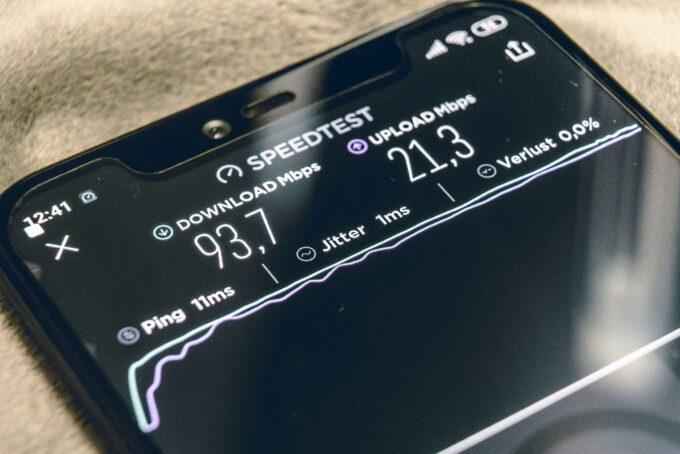
Start by testing your existing Wi-Fi signal in the garage before buying anything. Stand where you would work, run a speed test on your phone, and note both the speed and the signal strength. If you already get 10 Mbps or more, a simple mesh node or extender may be all you need.
For cable runs, use outdoor-rated or direct-burial Ethernet cable. Standard indoor Cat6 cable degrades quickly when exposed to moisture and UV light. SWA (steel wire armoured) cable or cable in MDPE conduit protects against accidental damage from garden tools or ground movement.
If using powerline adapters and getting poor speeds, try plugging both adapters into different sockets. Performance varies significantly between circuits. Avoid sockets on the same ring as high-draw appliances like washing machines or ovens, as electrical noise from motors can interfere with the signal.
For wireless setups, position the access point or extender as high as possible and with a clear line of sight to the garage. Wi-Fi signals travel further and with fewer reflections when mounted above head height.
If video calls drop out or buffer, the issue is usually latency or jitter rather than raw speed. A wired Ethernet connection to your computer in the garage, even if the link to the house is wireless, reduces latency at the final hop and improves call stability.
FAQs About Broadband in Detached Garages
Can I get a separate broadband line installed in my garage?
Yes, Openreach can install a new telephone line to a detached outbuilding, and you can then sign up for broadband on that line. This involves an installation fee and a separate monthly contract, so it is usually only worth considering if your garage is very far from the house or you need a completely independent connection.
Will a Wi-Fi extender work through brick walls?
It can, but performance drops significantly. A single brick wall typically reduces signal strength by 40 to 60%. Two walls, or a wall plus a metal garage door, may reduce the signal to unusable levels. Testing before buying is the best approach.
Is it worth running Ethernet cable underground?
For anyone using a garage as a regular workspace, a buried Ethernet cable is the most reliable long-term solution. The upfront cost is higher than wireless options, but it delivers full-speed, low-latency internet with no signal degradation, and it will last for years with proper installation.
Do I need an electrician to install broadband in my garage?
Not for most setups. Wi-Fi extenders, powerline adapters, and mesh systems are plug-and-play. Running Ethernet cable through walls may require basic drilling. If you need a new electrical supply to the garage to power equipment, that work should be done by a qualified electrician and may need to meet Part P of the Building Regulations.
What is the cheapest way to get broadband in my garage?
A Wi-Fi extender plugged into a socket near your garage, costing £20 to £40, is the cheapest option. Performance varies widely depending on distance and building materials, but for light use it can be enough.
Looking Ahead
As full-fibre broadband expands across the UK and 5G coverage widens, the options for getting fast internet into outbuildings will only improve. The current push toward gigabit-capable connections means that even after splitting or extending a signal, the speeds reaching your garage should be more than sufficient for demanding work. For now, assess your specific setup, test your existing signal, and choose the option that matches your actual daily needs rather than over-investing in capacity you will not use.