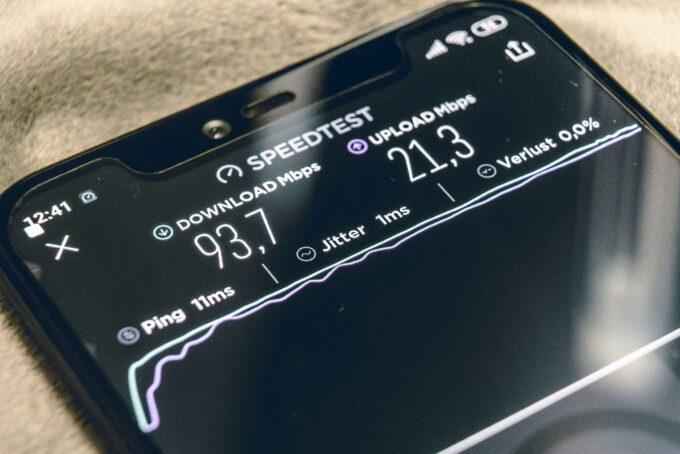
A household of five or six people, each streaming, gaming, video-calling, or doing homework at the same time, puts broadband under a kind of stress that a couple or solo user rarely experiences. What works perfectly well for two people can grind to a frustrating crawl the moment a third person joins a Zoom call while someone else loads up Fortnite and a teenager upstairs starts streaming in 4K.
Choosing the right broadband package for a large family means looking beyond headline speed figures. You need to understand how bandwidth gets shared, what your router can handle, and which providers give you the tools to manage a busy home network. This guide breaks down exactly what to look for.
Why Large Families Need Specific Broadband
Standard broadband packages are designed and marketed around average UK household use. Ofcom’s 2024 UK Home Broadband Performance report puts the average household at 2.4 people. A family of five or more sits well outside that average, and usage patterns multiply fast.
Consider a typical weekday evening. Two adults might be streaming different shows on separate TVs. One child is on a video call with friends. Another is playing an online game. A fifth family member is uploading photos or backing up files to the cloud. Each of these activities draws on your connection simultaneously.
The total bandwidth needed in that scenario easily exceeds 100 Mbps, and that’s before factoring in smart home devices, phones checking notifications in the background, and software updates downloading automatically. A basic fibre package offering 36 Mbps simply cannot keep up.
Large families also tend to own more connected devices per person. Ofcom estimates the average UK household now runs around nine internet-connected devices. A household of five or six could easily have 15 to 25 devices competing for bandwidth at any given time.
Key Factors for Choosing Family Broadband
Speed grabs the headlines, but several other factors determine whether your broadband actually performs well for a big household.
Download speed matters, but upload speed matters more than most people realise. Video calls, cloud backups, live streaming, and online gaming all rely on a decent upload connection. Many standard fibre-to-the-cabinet (FTTC) packages offer upload speeds of just 9 to 10 Mbps, which gets stretched thin across multiple simultaneous video calls.
Contention ratio describes how many households share the same local bandwidth allocation from your provider. A ratio of 50:1 means up to 50 homes share the same capacity at the exchange or cabinet level. During peak evening hours (roughly 7 pm to 10 pm), high contention ratios cause noticeable slowdowns. Full fibre (FTTP) connections typically have lower contention ratios than older copper-based services.
Router quality plays a bigger role than most families appreciate. A provider might offer 500 Mbps at the wall, but if your included router can only handle a dozen devices efficiently, you won’t see that speed distributed across your household. Look for providers that supply Wi-Fi 6 (or Wi-Fi 6E) routers as standard, since these are built to manage many devices at once.
Data caps are largely a thing of the past for fixed-line broadband in the UK, but some 5G home broadband plans still impose fair usage limits. For a large family, unlimited data is non-negotiable. Check the small print before signing up.
Understanding Different Broadband Types
The type of connection reaching your home affects what speeds are realistically available and how well they hold up under heavy use.
FTTC (Fibre to the Cabinet) delivers fibre optic cable to the green street cabinet, then uses existing copper phone lines for the final stretch to your home. Maximum speeds typically cap at 80 Mbps download and 20 Mbps upload. For large families, this is workable if your usage is moderate, but it struggles during peak demand across many devices.
FTTP (Fibre to the Premises) runs fibre optic cable directly into your home. Speeds range from 100 Mbps up to 1 Gbps (and higher with some providers). The direct fibre connection avoids the bottleneck of old copper lines and delivers far more consistent performance. FTTP is available to roughly 55% of UK premises as of early 2025, according to Ofcom’s Connected Nations update.
Virgin Media’s cable network uses a hybrid fibre-coaxial (HFC) technology. It delivers fast download speeds (up to 1.1 Gbps on the Gig1 plan) without needing a phone line. Upload speeds on cable are lower relative to download speeds compared with FTTP, which is worth noting if your family does a lot of video calling or content uploading.
5G Home Broadband from providers like Three and Vodafone offers an alternative where full fibre isn’t yet available. Real-world speeds vary considerably depending on your distance from the mast and local congestion. For a large family, 5G can work as a stopgap, but fixed-line connections generally deliver more reliable performance during peak times.
Top Broadband Providers for Large Households
Several UK providers stand out for families who need consistent, high-capacity broadband.
BT offers full fibre packages up to 900 Mbps and includes its Smart Hub 2 router with Wi-Fi 6 capability. BT’s “Complete Wi-Fi” add-on provides mesh discs to extend coverage to every room, which is particularly useful in larger family homes where the router sits far from bedrooms. BT also includes basic parental controls through its BT Parental Controls app at no extra cost.
Sky Broadband delivers FTTP packages up to 900 Mbps in eligible areas and bundles broadband with Sky TV, creating potential savings for families who already subscribe to Sky’s entertainment packages. Sky’s broadband includes Sky Broadband Buddy, a free parental control tool that lets you set time limits and filter content per device.
Virgin Media remains the strongest option for families in areas without FTTP coverage. The Gig1 cable package delivers 1.1 Gbps download speeds, and Virgin’s Hub 5 router supports Wi-Fi 6. Virgin’s Intelligent WiFi feature, included on newer hubs, automatically manages device connections to reduce congestion. The main downside: upload speeds on cable top out at around 52 Mbps even on the fastest package.
Hyperoptic and Community Fibre focus on FTTP in urban areas, offering speeds up to 1 Gbps at competitive prices. If either serves your area, they’re worth considering for price-conscious large families. Both offer straightforward, no-bundle packages with unlimited data.
Zen Internet consistently tops customer satisfaction surveys and offers FTTP packages with no mid-contract price rises. For families fed up with annual price hikes, Zen’s pricing transparency is a genuine advantage, though its packages tend to cost slightly more upfront.
Comparing Speeds, Data Caps and Contention Ratios
To make a direct comparison easier, here’s how the main providers stack up on the factors that matter most to large families:
– BT Full Fibre 500: 500 Mbps download / 73 Mbps upload, unlimited data, 24-month contract
– Virgin Media Gig1: 1,130 Mbps download / 52 Mbps upload, unlimited data, 18-month contract
– Sky Superfast 500: 500 Mbps download / 60 Mbps upload, unlimited data, 18-month contract
– Hyperoptic 1 Gbps: 1,000 Mbps download / 1,000 Mbps upload, unlimited data, 12 or 24-month contract
– Zen Full Fibre 900: 900 Mbps download / 110 Mbps upload, unlimited data, 12-month minimum
For a family of five or more, targeting a minimum of 300 Mbps download speed is a sensible baseline. If your household includes heavy gamers, frequent 4K streamers, or anyone working from home on video calls throughout the day, 500 Mbps or above provides a comfortable margin.
Notice the upload speed differences. Hyperoptic’s symmetrical 1 Gbps connection is in a different league for upload-heavy use. If multiple family members regularly join video calls or upload large files, that symmetrical speed makes a tangible difference.
Features That Matter for Family Broadband
Beyond raw speed, several broadband features become particularly valuable in a family setting.
Parental controls let you filter inappropriate content, set internet schedules for children’s devices, and monitor usage. Most major providers include basic controls free of charge. BT, Sky, and Virgin Media all offer app-based management tools that let you control settings from your phone. Internet Matters provides independent guides to setting up parental controls across every major UK provider.
Wi-Fi 6 and Wi-Fi 6E routers handle multiple device connections far better than older Wi-Fi 5 hardware. Wi-Fi 6 uses a technology called OFDMA (Orthogonal Frequency Division Multiple Access), which allows the router to communicate with several devices in a single transmission rather than queuing them one by one. For a household with 15 or more connected devices, this reduces the lag that older routers create when too many gadgets compete for attention.
Mesh Wi-Fi systems extend reliable coverage across larger homes. Dead spots in upstairs bedrooms or garden offices are a common complaint in bigger houses. BT’s Complete Wi-Fi, Virgin’s Intelligent WiFi Pods, and third-party systems from brands like TP-Link Deco or Google Nest Wifi all create a network of access points that blanket your home in consistent signal.
Static IP addresses, offered by some providers as an add-on, can benefit families where a parent works from home and needs to connect to a corporate VPN reliably. This isn’t relevant for every household, but worth knowing about if remote work is part of your daily routine.
Tips for Optimising Your Home Network
Even the fastest broadband package underperforms if your home network isn’t set up properly. A few practical adjustments can make a noticeable difference.
Position your router centrally. Wi-Fi signal degrades with distance and through walls. Placing the router in a hallway or central room, raised off the floor, gives the best coverage spread. Avoid tucking it behind a TV or inside a cupboard.
Use wired connections where possible. A games console, smart TV, or home office PC connected directly to the router via an Ethernet cable frees up wireless bandwidth for devices that genuinely need Wi-Fi, like phones and tablets. Powerline adapters can carry an Ethernet signal through your home’s electrical wiring if running cables isn’t practical.
Separate your 2.4 GHz and 5 GHz bands. The 5 GHz band offers faster speeds over shorter distances. The 2.4 GHz band reaches further but is slower and more prone to interference from neighbouring networks. Assign nearby devices to 5 GHz and distant devices to 2.4 GHz for the best balance. Many modern routers handle this automatically through band steering, but check your settings.
Schedule large downloads for off-peak hours. Game updates, system updates, and cloud backups can consume huge amounts of bandwidth. Setting these to run overnight keeps your connection clear during the hours your family actually needs it.
Restart your router regularly. It sounds simple, but a weekly reboot clears cached data and refreshes the connection. Some routers let you schedule automatic restarts through their settings app.
Finding the Best Deals for Large Families
Broadband pricing in the UK shifts constantly, with providers running promotions that change monthly. A few strategies help large families lock in a good deal.
Compare prices at contract renewal. Ofcom’s switching rules require providers to send you an end-of-contract notification with details of their best available deals. Use this as a starting point, then check comparison sites and call your provider’s retention team. Existing customers who ask to leave often receive discounts that match or beat new-customer offers.
Bundle only if the bundle saves money. TV and broadband bundles from BT, Sky, and Virgin Media can offer genuine savings, but only if you’d pay for those services separately anyway. Don’t add a TV package you won’t watch just because the headline price looks attractive.
Watch for mid-contract price rises. Most UK providers increase prices annually in line with CPI inflation plus a fixed percentage (typically 3.9%). Over an 18 or 24-month contract, this can add £5 to £8 per month to your bill. Providers like Zen, Hyperoptic, and Community Fibre either fix prices for the contract term or increase by a smaller margin.
Check availability first. Full fibre coverage is expanding rapidly, but your specific address determines which providers and speeds are available. Enter your postcode on a few provider websites or use a comparison tool before committing to any research. The fastest package in the UK is irrelevant if it doesn’t reach your street.
What Comes Next for Family Broadband
The UK government’s Project Gigabit programme aims to bring gigabit-capable broadband to 85% of UK premises by 2025 and push towards nationwide coverage by 2030. For large families currently stuck on slower FTTC connections, full fibre availability is likely to improve significantly over the next two to three years.
Wi-Fi 7, the next generation of wireless technology, is already appearing in high-end routers and will start shipping as standard with broadband packages within the next 12 to 18 months. Wi-Fi 7 promises even better multi-device handling and lower latency, which will directly benefit busy family networks.
For now, the practical advice is straightforward: check what’s available at your address, aim for at least 300 Mbps if your household has five or more regular users, prioritise a provider that supplies a modern Wi-Fi 6 router, and don’t overlook upload speeds if video calls are a daily part of family life. The right broadband connection won’t just stop the arguments about buffering. It makes a home with many competing demands run noticeably more smoothly.