Introduction
Your smart home is only as intelligent as the broadband connection powering it. From video doorbells to smart thermostats, modern UK homes are filling up with connected devices—and each one needs reliable internet to function properly.
If you’ve ever experienced your smart doorbell missing a delivery or your security cameras buffering at crucial moments, you know how frustrating poor connectivity can be. This guide explains exactly what broadband speed and setup you need to keep all your smart devices working smoothly.
Understanding Smart Home Internet Requirements
Baseline Speed Requirements
For a basic smart home setup with 5-10 devices, you’ll need:
– Minimum: 25 Mbps download speed
– Recommended: 50-100 Mbps for reliable performance
– Optimal: 150+ Mbps for future-proofing
The UK average broadband speed reached 223 Mbps in 2025 according to Ofcom, which is more than sufficient for most smart home setups. However, speed alone doesn’t tell the whole story.
How Different Smart Devices Use Your Broadband
Low Bandwidth Devices (0.5-2 Mbps each):
– Smart plugs
– Smart light bulbs
– Smart thermostats (Nest, Hive, Tado)
– Smart door locks
– Sensors (motion, door/window, water leak)
Medium Bandwidth Devices (2-5 Mbps each):
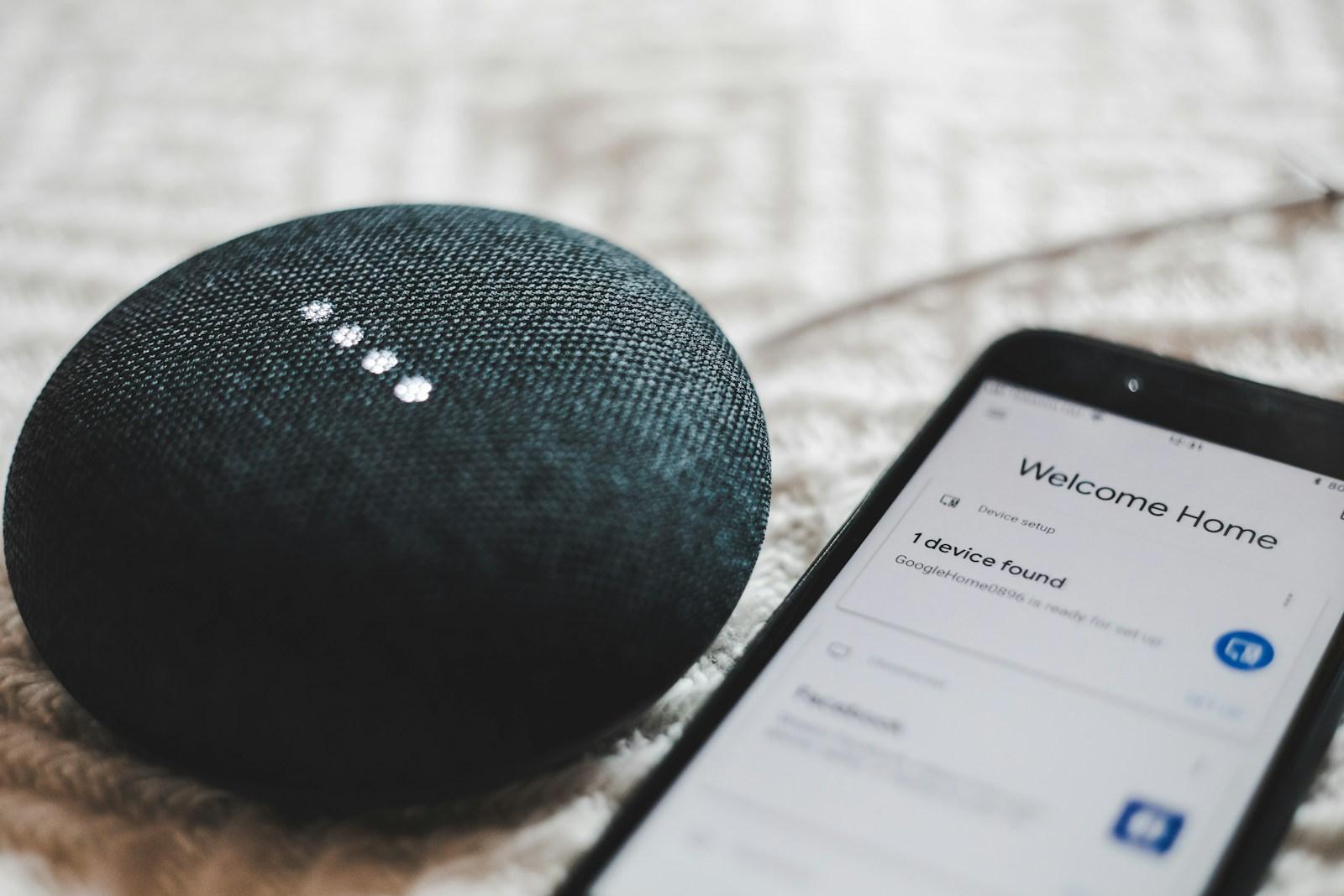
– Smart speakers (Amazon Echo, Google Nest)
– Smart displays
– Video doorbells (Ring, Nest Hello)
– Single security cameras
High Bandwidth Devices (5-10+ Mbps each):
– 4K security cameras
– Multiple camera systems (Arlo, Ring, Eufy)
– Smart TV streaming
– Gaming consoles
– Smart home hubs with video processing
WiFi Frequency Bands Explained
Modern routers broadcast on multiple frequency bands, and choosing the right one for each device matters:
2.4 GHz Band
Best for:
– Smart plugs, bulbs, and sensors
– Devices far from the router
– Devices behind walls or on different floors
Characteristics:
– Longer range (up to 45 meters indoors)
– Better wall penetration
– Slower speeds (up to 600 Mbps theoretical)
– More interference from neighboring networks
5 GHz Band
Best for:
– Smart TVs and streaming devices
– Security cameras
– Devices near the router
– Bandwidth-intensive smart devices
Characteristics:
– Shorter range (up to 15 meters indoors)
– Faster speeds (up to 2.4 Gbps)
– Less congestion
– Struggles with walls and floors
6 GHz Band (WiFi 6E)
Best for:
– Latest smart home hubs
– High-end security systems
– Future-proofing
Characteristics:
– Even faster speeds
– Minimal interference
– Limited range
– Requires WiFi 6E compatible devices (rare in smart home devices as of 2026)
Recommended Broadband Packages for Smart Homes
For 5-15 Smart Devices (Starter Smart Home)
Community Fibre Essential 75
– Speed: 75 Mbps
– Cost: £20/month
– Coverage: 26 London boroughs
– Setup: Free installation in served buildings
Plusnet Full Fibre 1
– Speed: 74 Mbps
– Cost: £24.99/month
– Coverage: Nationwide (where FTTP available)
– Setup: £9.99 or free with 24-month contract
NOW Broadband Super
– Speed: 36 Mbps
– Cost: £26/month
– Contract: 30-day rolling
– Note: Minimum for basic smart home; may struggle with multiple cameras
For 15-30 Smart Devices (Comprehensive Smart Home)
Vodafone Full Fibre 150
– Speed: 150 Mbps
– Cost: £25/month (rising to £28.50 April 2026)
– WiFi 6 router included
– Good for multiple security cameras
BT Full Fibre 150
– Speed: 145-150 Mbps
– Cost: £29.99/month
– Complete WiFi guarantee (extenders provided if needed)
– Excellent reliability for 24/7 security systems
TalkTalk Full Fibre 150
– Speed: 150 Mbps
– Cost: £27/month
– Value option
– Check availability in your area
For 30+ Smart Devices (Advanced Smart Home / Home Office)
Virgin Media M500
– Speed: ~500 Mbps
– Cost: £45.99/month
– Cable network (98% UK coverage)
– Hub 5 router with excellent multi-device handling
Hyperoptic Ultrafast 500
– Speed: 500 Mbps
– Cost: £30/month
– Contract-free (30-day rolling)
– Limited to apartments and new developments in major cities
– Installation typically within 5 working days
Community Fibre Premier
– Speed: 1000 Mbps
– Cost: £30/month
– Exceptional value for dense smart home setups
– London coverage only
Router and Network Setup for Smart Homes
Router Requirements
Your router is critical for smart home performance. Essential features:
Must-Have Features:
– Dual-band WiFi (2.4 GHz and 5 GHz)
– At least WiFi 5 (802.11ac) standard
– Support for 20+ connected devices simultaneously
– Quality of Service (QoS) settings
– Guest network capability
Recommended Features:
– WiFi 6 (802.11ax) for better device handling
– Gigabit Ethernet ports
– USB port for network storage
– Mobile app for management
– Regular firmware updates
When You Need a Mesh WiFi System
Consider mesh WiFi if you have:
– A home larger than 150 square meters
– Multiple floors with smart devices on each level
– Thick walls or difficult layouts
– Dead zones where devices lose connection
– More than 20 smart devices
Top Mesh Systems for UK Smart Homes (2026):
TP-Link Deco X55 (3-pack)
– Coverage: Up to 600 square meters
– Cost: £179.99
– Supports 150+ devices
– Easy setup via mobile app
– WiFi 6 standard
Google Nest WiFi Pro (3-pack)
– Coverage: Up to 600 square meters
– Cost: £369.99
– WiFi 6E support
– Seamless with Google Home devices
– Automatic updates
Amazon eero 6+ (3-pack)
– Coverage: Up to 460 square meters
– Cost: £299
– Built-in Zigbee smart home hub
– Works excellently with Alexa devices
– TrueMesh technology
Network Segmentation for Smart Homes
For security and performance, separate your devices:
Main Network
– Laptops, phones, tablets
– Work computers
– Personal devices
IoT/Smart Home Network
– All smart home devices
– Security cameras
– Smart speakers
– Connected appliances
Guest Network
– Visitors’ devices
– Temporary connections
This segmentation:
– Improves security (isolates smart devices from personal data)
– Reduces network congestion
– Makes troubleshooting easier
– Protects against compromised smart devices
Common Smart Home Connectivity Issues and Solutions
Problem: Devices Keep Disconnecting
Causes:
– Too many devices on 2.4 GHz band
– Router overload
– ISP throttling
– Firmware issues
Solutions:
– Move high-bandwidth devices to 5 GHz
– Upgrade to WiFi 6 router
– Enable QoS to prioritize critical devices
– Restart router weekly (set automatic schedule)
– Update device firmware
Problem: Security Cameras Buffering
Causes:
– Insufficient upload speed
– Wrong WiFi band
– Distance from router
Solutions:
– Check upload speed (need 5-10 Mbps per HD camera)
– Connect cameras to 5 GHz band if close to router
– Install mesh node near cameras
– Lower camera resolution if needed
– Consider wired cameras for critical locations
Problem: Smart Speakers Not Responding
Causes:
– Network congestion
– DNS issues
– Bandwidth limitations
Solutions:
– Reserve IP addresses for speakers (via router settings)
– Change DNS to Google (8.8.8.8) or Cloudflare (1.1.1.1)
– Enable UPnP on router
– Update speaker firmware
Problem: Video Doorbell Missing Notifications
Causes:
– Poor WiFi signal at door location
– Bandwidth limitations
– Power-saving modes
Solutions:
– Install WiFi extender near front door
– Ensure 10+ Mbps dedicated to doorbell
– Check doorbell power source (battery vs wired)
– Adjust motion sensitivity settings
Security Considerations for Smart Home Networks
Essential Security Steps
– Use a strong, unique password
– Enable WPA3 encryption (or WPA2 minimum)
– Isolates smart devices from personal data
– Contains potential security breaches
– Can be exploited by malicious devices
– Only enable for devices that require it
– Router firmware
– All smart device firmware
– Enable automatic updates where available
– Check router’s device list monthly
– Remove unknown devices
– Rename devices for easy identification
Smart Device Security Best Practices
– Use strong, unique passwords for each device account
– Enable two-factor authentication where available
– Disable remote access unless specifically needed
– Research devices before buying (check security track record)
– Buy from reputable brands with ongoing support
– Register devices for security alerts from manufacturers
Broadband Providers Best for Smart Homes
BT Broadband
Why Good for Smart Homes:
– Complete WiFi guarantee (extenders provided free if needed)
– Reliable network (99.99% uptime)
– BT Smart Hub 2 handles 50+ devices well
– Excellent customer support for connectivity issues
Best Package:
BT Full Fibre 150 at £29.99/month
Virgin Media
Why Good for Smart Homes:
– Hub 5 router with WiFi 6
– Excellent multi-device handling
– Fast speeds available nationwide
– Pod extenders available (£5/month for 3)
Best Package:
Virgin Media M250 at £31.99/month (262 Mbps)
Community Fibre (London)
Why Good for Smart Homes:
– Symmetrical upload/download speeds
– Exceptional value
– No contract required
– Fixed pricing (no mid-contract rises)
Best Package:
Community Fibre Core 300 at £25/month
Vodafone
Why Good for Smart Homes:
– WiFi 6 routers on all packages
– Good value on full fibre
– Super WiFi boosters available
Best Package:
Vodafone Full Fibre 150 at £25/month (rising to £28.50 April 2026)
Bandwidth Calculator for Your Smart Home
Use this calculator to estimate your needs:
Base Household Internet: 25 Mbps
Each Person Working From Home: +10 Mbps
Each HD Security Camera: +5 Mbps
Each 4K Security Camera: +10 Mbps
Each Smart TV/Streaming Device: +5 Mbps (HD) or +25 Mbps (4K)
All Other Smart Devices Combined: +10 Mbps
Example Calculation:
– 2 people working from home: 25 + 20 = 45 Mbps
– 3 HD security cameras: 45 + 15 = 60 Mbps
– 2 smart TVs (HD streaming): 60 + 10 = 70 Mbps
– 15 other smart devices: 70 + 10 = 80 Mbps
Recommended Speed: 100 Mbps (with 20% overhead for simultaneous use)
Future-Proofing Your Smart Home Network
Trends to Watch in 2026
Matter Standard Adoption
– Universal smart home protocol
– Better device compatibility
– Reduced network congestion
– Supported by Amazon, Google, Apple
WiFi 6E and WiFi 7
– Faster speeds
– Better handling of many devices
– Lower latency
– Worth considering for new router purchases
Thread Border Routers
– Low-power mesh networking for smart devices
– Reduces WiFi congestion
– Built into some smart speakers and hubs
When to Upgrade Your Broadband
Consider upgrading if:
– Devices frequently disconnect
– Security camera footage buffers
– Smart speakers respond slowly
– You’re adding 10+ new devices
– You’re moving to 4K cameras
– Multiple people work from home
Practical Setup Guide
Step 1: Assess Your Current Setup
– Count all connected devices
– Note their locations
– Check current broadband speed (run test at speedtest.net)
– Identify dead zones
Step 2: Choose Appropriate Broadband Package
– Calculate bandwidth needs
– Check provider availability
– Compare router quality
– Consider contract flexibility
Step 3: Optimize Router Placement
– Central location in home
– Elevated position
– Away from walls and metal objects
– Not in cupboards or behind furniture
Step 4: Configure Networks
– Set up main, IoT, and guest networks
– Use descriptive network names
– Strong passwords on all networks
– Enable WPA3 encryption
Step 5: Connect Devices Strategically
– Low-bandwidth devices → 2.4 GHz
– High-bandwidth devices → 5 GHz
– Critical devices → wired connection where possible
– Reserve IP addresses for important devices
Step 6: Install Mesh Nodes (if needed)
– Place halfway between router and dead zones
– Avoid placing too close together
– Use wired backhaul if possible
– Test coverage after installation
Step 7: Monitor and Adjust
– Use router app to monitor device performance
– Check for firmware updates monthly
– Adjust QoS settings as needed
– Review connected devices regularly
Key Takeaways
Frequently Asked Questions
Q: How many smart devices can my broadband handle?
A: Most modern broadband connections can handle 50+ devices. The limitation is usually your router, not your broadband speed. WiFi 6 routers handle multiple devices much better than older models.
Q: Will smart devices slow down my internet?
A: Low-bandwidth devices (sensors, bulbs, plugs) have minimal impact. Security cameras and smart TVs use more bandwidth. A 100 Mbps connection easily handles typical smart home use while leaving plenty of bandwidth for other activities.
Q: Do I need a special router for smart home devices?
A: Not necessarily, but a dual-band router with WiFi 6 is highly recommended for 15+ devices. The router provided by your ISP may be sufficient, but mesh systems offer better coverage for larger homes.
Q: Should I use Ethernet for any smart devices?
A: Yes, wire critical devices where possible: smart home hubs, security camera base stations, smart TVs, and work computers. This frees up WiFi bandwidth for devices that must be wireless.
Q: What’s the best WiFi band for Ring doorbell?
A: Ring doorbells work on 2.4 GHz only (most models). Place a mesh node or extender near your front door if the signal is weak. Aim for at least 2 Mbps upload speed at the doorbell location.
Q: Will mesh WiFi work with all my smart devices?
A: Yes, mesh systems create a unified network that appears as a single WiFi network to your devices. This actually works better than extenders for most smart home setups.
Q: How much upload speed do I need for security cameras?
A: Plan for 5 Mbps per HD camera, 10 Mbps per 4K camera. If you have 3 HD cameras, you need at least 15 Mbps upload. Check your current upload speed at speedtest.net.
Last updated: January 2026. Prices and speeds verified as of December 2025. Always check provider websites for current offers and availability in your area.