How to Switch Broadband Providers: Complete UK Guide
Your broadband bill jumped again. The speeds you pay for never match what you get. Customer service puts you on hold for an hour.
Sound familiar? You’re not alone. Millions of UK households stick with poor broadband deals because switching feels complicated. The truth is different.
Switching broadband providers takes two weeks and can save you over £200 per year. The process became much simpler in September 2024 with new Ofcom rules.
This guide walks you through every step of the switching process. You’ll learn how to avoid exit fees, compare deals properly, and switch without losing internet access.
When Should You Switch Broadband Providers?
Timing makes all the difference when switching broadband. Get it right and you’ll save money without penalties. Get it wrong and you’ll pay expensive exit fees.
Your Contract Has Ended
Check your contract end date first. Most providers increase your monthly bill once your minimum term finishes. Some customers see their bills jump by £20-30 per month.
Out-of-contract customers can save an average of £203 per year by switching to a new deal. Your provider should have sent you an end-of-contract notification explaining your options.
You’re Not Getting Promised Speeds
Ofcom rules protect you if your broadband speeds fall short. You can leave your contract without penalty if your provider can’t deliver the minimum guaranteed speed.
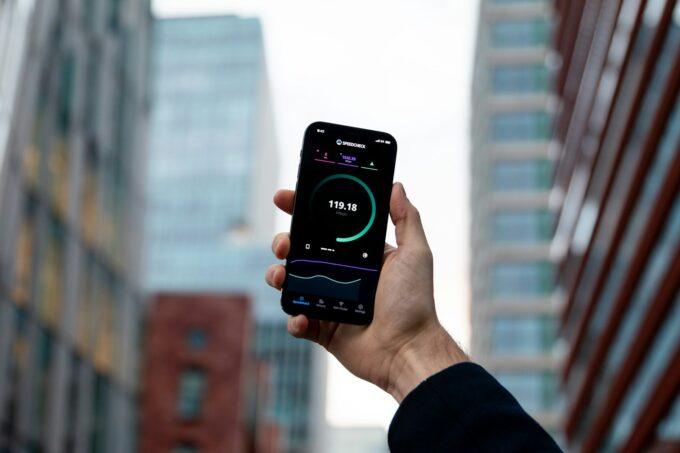
Run a speed test at different times of day. Document the results. If speeds consistently fall below your contract terms, you have grounds to switch without exit fees.
Moving House
Your current provider might not service your new address. Even if they do, moving house gives you a chance to reassess your broadband needs.
New builds often have access to faster fibre connections. Check what’s available at your new postcode before committing to transfer your existing contract.
Poor Customer Service
Terrible customer service ruins your broadband experience. Long hold times, unhelpful staff, and unresolved technical issues signal it’s time to move.
Life’s too short for bad broadband support. Switching to a provider with better customer ratings improves your overall experience.
Understanding Your Current Contract and Exit Fees
Your current contract holds the key to switching without penalties. Dig out your original agreement or log into your provider’s website to check the details.
Finding Your Contract Information
Look for these key details in your contract:
- Minimum contract length (usually 12, 18, or 24 months)
- Contract start and end dates
- Early termination clause and fees
- Minimum guaranteed speeds
- Price increase terms
Most providers show this information in your online account. Can’t find it? Call customer services and ask them to email your contract details.
Calculating Early Termination Charges
Exit fees typically equal the remaining monthly payments on your contract. A provider might charge £40 per month for six remaining months – that’s £240 in exit fees.
Some contracts include installation costs in the exit fee calculation. Others charge a flat penalty regardless of time remaining.
When You Can Leave Without Penalties
Several situations allow penalty-free contract exits:
- Your provider increases prices mid-contract
- Speeds fall below guaranteed minimums
- Service reliability problems persist
- Your provider changes contract terms
Keep records of any service problems. Screenshot speed tests. Save customer service chat logs. This evidence supports your case for penalty-free switching.
The One Touch Switch Process Explained
September 2024 brought the biggest change to broadband switching in years. The One Touch Switch (OTS) process makes switching faster and simpler than ever before.
How One Touch Switch Works
You don’t contact your old provider at all. Your new provider handles everything for you.
Here’s what happens:
- You provide your address and current provider name to the new company
- They match your details against your current provider’s records
- Your old provider automatically sends switching information to you
- You review exit fees and decide whether to proceed
- Your new provider arranges the switch for your chosen date
The whole process takes place electronically. No phone calls to your old provider. No lengthy cancellation procedures.
What Information You’ll Receive
Your current provider must send you switching information within one working day. This includes:
- Any early termination charges you’ll face
- How the switch affects other services (TV, phone)
- Contract terms you should know about
- Your options for keeping or cancelling bundled services
Review this information carefully before confirming the switch. Once you proceed, your new provider takes control of the process.
When One Touch Switch Doesn’t Apply
Some situations still require manual switching:
- You want to keep both services running simultaneously
- You’re switching between different types of connection (cable to fibre)
- Your provider can’t match your details automatically
Your new provider will explain which process applies to your situation when you sign up.
What Happens During the Switch
The switching timeline has become much more predictable since OTS launched. Most switches complete within two weeks with minimal disruption.
Typical Switching Timeline
Week 1: You sign up with your new provider and receive switching information from your current one. Review the details and confirm you want to proceed.
Week 2: Your new provider arranges the technical switch. They’ll give you a specific switch date and time window.
Switch day: Your new service activates first. Once it’s working properly, your old provider gets notified to cancel your existing service.
Downtime and Service Interruption
Under OTS rules, you shouldn’t lose internet access for more than one working day. Most customers experience just 30 minutes to 2 hours of downtime.
The timing depends on your connection type:
- Standard broadband switches: Usually 30 minutes or less
- Fibre upgrades: 1-2 hours for engineer installation
- Full fibre installation: Half day for new cable installation
Your new provider will give you a specific time window for any engineer visits.
If Things Go Wrong
Ofcom rules require automatic compensation when switches fail. You’ll receive:
- £8.40 per day for each day without service beyond one working day
- £25.20 for each missed engineer appointment
- Payment within 30 days of the problem being resolved
You don’t need to claim this compensation. Providers must pay it automatically.
Keeping Your Phone Number and Email
Switching providers doesn’t mean losing your contact details. UK regulations protect your right to keep your landline number, and most email addresses transfer too.
Transferring Your Landline Number
Your new provider must accept your request to transfer your landline number. This process happens automatically during the switch.
Tell your new provider you want to keep your existing number when you sign up. They’ll arrange the transfer as part of the switching process.
Number transfers usually complete on switch day. You might lose landline service for a few hours during the transfer.
What Happens to Your Email Address
Provider email addresses (@btinternet.com, @sky.com, etc.) often continue working after you switch. Your old provider typically keeps email accounts active for existing customers.
Check with your current provider about their email policy. Some providers:
- Keep email accounts active indefinitely
- Charge a small monthly fee for email-only access
- Delete accounts after 3-6 months
Set up email forwarding to a new address just in case. Gmail, Outlook, and other free services work with any broadband provider.
Equipment Returns and Compatibility
Your old router probably won’t work with your new provider. Most broadband companies use different technical standards and security settings.
Returning Your Old Equipment
You must return rented equipment to avoid charges. This usually includes:
- Wireless router or modem
- TV boxes and remotes
- Phone handsets
- Cables and power adapters
Your old provider will send return instructions and prepaid postage labels. Pack everything securely and get proof of postage.
Return equipment within 14 days of switching to avoid charges. Some providers charge £50-100 for unreturned routers.
Setting Up New Equipment
Your new provider sends a router configured for their network. Most modern routers are plug-and-play.
Basic setup steps:
- Connect the router to your phone line or fibre socket
- Plug in the power cable and wait for startup lights
- Connect your devices using the WiFi password on the router label
- Run the provider’s setup app if required
Engineers will set up equipment during installation visits. They’ll also test your connection and WiFi coverage.
Smart Comparison Shopping Tips
Comparing broadband deals goes beyond headline prices. The cheapest deal might not offer the best value once you factor in speeds, reliability, and customer service.
Understanding Speed Requirements
Match your broadband speed to your household’s actual usage:
- 10-30 Mbps: Light browsing, email, occasional streaming
- 30-60 Mbps: Regular HD streaming, video calls, multiple devices
- 60-100 Mbps: 4K streaming, gaming, home working
- 100+ Mbps: Heavy usage, large file downloads, multiple 4K streams
Don’t pay for speeds you won’t use. A 30 Mbps connection handles most household needs perfectly well.
Comparing Total Costs
Look beyond the monthly price to calculate true costs:
- Setup and activation fees
- Router rental or purchase costs
- Price increases during the contract
- Out-of-contract pricing
A deal costing £25 per month with £50 setup fees costs more than a £27 per month deal with free setup over 18 months.
Reading Customer Reviews
Customer satisfaction scores reveal more than marketing promises. Check Ofcom’s annual satisfaction surveys and independent review sites.
Pay attention to complaints about:
- Actual speeds versus advertised speeds
- Customer service response times
- Billing accuracy and clarity
- Technical support quality
A provider with 90% customer satisfaction scores beats one with 70% scores, even if the second option costs less.
Common Switching Mistakes to Avoid
Learning from other people’s mistakes saves you time, money, and frustration. These are the most common switching errors and how to avoid them.
Not Checking Coverage First
85% of UK premises can access ultrafast broadband, but coverage varies dramatically by postcode. Rural areas and some city centres have limited options.
Always check coverage at your exact address before signing up. Providers’ websites have postcode checkers showing available speeds and technologies.
Ignoring Contract Length
Longer contracts usually offer better monthly prices but lock you in for extended periods. Technology and your needs change over 24 months.
Choose contract length based on your situation:
- 12 months: Good for renters or those wanting flexibility
- 18 months: Balance between price and commitment
- 24 months: Best prices but longest commitment
Switching Too Close to House Moves
Don’t switch broadband within 6 weeks of moving house. You might face double setup fees or service gaps if timings don’t align.
Either switch well before moving or wait until you’re settled in your new home.
Not Testing New Service Properly
You have 14 days to cancel any new broadband contract without penalty. Use this cooling-off period to test your connection thoroughly.
Test speeds at different times, check WiFi coverage throughout your home, and try customer service if you have questions.
Frequently Asked Questions
How long does switching broadband take?
Most switches complete within 10-14 working days. Simple provider changes happen faster than technology upgrades requiring engineer installation.
Will I lose internet during the switch?
Downtime should not exceed one working day under Ofcom rules. Most customers experience 30 minutes to 2 hours of downtime during the technical changeover.
Can I switch if I’m still in contract?
You can switch anytime, but early termination fees apply if you’re still within your minimum contract period. These fees typically equal your remaining monthly payments.
What if my new broadband is slower than promised?
Providers must deliver minimum guaranteed speeds. If your connection consistently falls short, you can leave the contract without penalty within the first 30 days.
Do I need to return my old router?
You must return all rented equipment to avoid charges. Your old provider will send return instructions with prepaid postage labels.
Can I keep my email address when I switch?
Provider email addresses often continue working after switching, but policies vary. Set up email forwarding to a new address as backup.
What happens if the switch goes wrong?
Ofcom requires automatic compensation for switching failures. You’ll receive £8.40 per day for extended service loss and £25.20 for missed appointments.
Switching broadband providers doesn’t have to be stressful or complicated. The One Touch Switch process makes it easier than ever to get better speeds, service, and value for money.
Take time to research your options properly. Check what’s available at your address, compare total costs rather than just monthly prices, and read customer reviews.
Your broadband should work for you, not against you. If your current provider isn’t delivering, switching gives you the power to choose something better.