Broadband activation delayed? what to do and your rights in the UK
 Julian Glover
Your broadband was meant to go live today, the date is here, and you still have no connection. The short version: contact your new provider first, keep a written record of the agreed date and every update, and know that most big providers have to pay you automatic daily compensation for a late start. You do not have to haggle for it.
Below is what to do in order, how long installation normally takes so you can judge whether this is even a real delay yet, and when to push things further.
What a broadband activation delay actually means
A delay starts the moment your new service is not working by the activation date you were given. That is the key point: the clock runs from the date originally agreed with you, not from when you placed the order or from some vaguer window.
So if your provider confirmed that your broadband would be live on, say, the 10th, and the 10th passes with nothing working, you are in delay territory from that day. Keep that date. It matters for compensation.
It helps to separate a genuine delay from normal variation. The standard switching process takes roughly 10 to 14 working days from when you place the order, though some switches finish faster and some take longer for legitimate reasons. A switch that is still progressing but running slower than hoped is different from one that has failed outright.
How long activation normally takes
Across providers, the average installation time is about two weeks. A few things change that:
- If you already have a working line or an active connection at the address, you can often self-install. The provider sends a router, you plug it in on the right day, and no engineer is needed. Switches between two providers that both use the Openreach network usually work this way.
- If you need Full Fibre (FTTP) installed for the first time, an engineer has to visit. The install itself typically takes two to four hours, and someone over 18 must be home. Appointment slots are usually a four-hour window, morning (8am to 1pm) or afternoon (1pm to 6pm).
- If a brand new phone line is required, that can add time. A new line can take up to around 15 working days to arrange and has historically cost roughly £140.
Typical published waiting times from the larger providers sit around 14 days if you already have a landline, and up to 21 days if you do not. Virgin Media, which runs its own network rather than Openreach, quotes around 14 days.
With Full Fibre specifically, the engineer slot is often the thing that holds everything up, with waits of one to three weeks for an appointment being common. If your delay is really just waiting for the next available engineer, that is frustrating but within normal bounds.
Common reasons activation gets delayed
Delays usually come down to one of a handful of causes:
- Engineer availability. Where an install needs a visit, the appointment is often the gating factor.
- Line provisioning and address matching. Switches sometimes need the address to be matched correctly across networks, and retries are common. One documented figure suggests around 32% of BT's successful switches needed two or more match-request retries.
- Equipment timing. The router or other kit has to arrive. A self-install router is usually sent out to land the day before your activation date.
- Infrastructure and access. Flats and blocks can need wayleave checks (permission to run cabling), which adds time.
- Provider admin. Order errors and internal coordination problems also cause slippage.
Understanding the cause tells you what to ask for and whether it is reasonable.
What to do first when your activation is delayed
Work through these in order:
- Check whether it is actually a delay. Confirm the exact date you were given. If 10 to 14 working days have not passed and you were not promised a firmer date, it may just be in progress.
- Write down the original agreed date and the current expected date, along with any texts or emails the provider has sent.
- Contact your new (gaining) provider first. Under the current switching rules the new provider is responsible for coordinating the switch, so they are your first port of call, not the old one.
- Ask for a status update and a complaint reference number. Get the reason for the delay and a realistic new date in writing.
- Work out your compensation. The daily automatic compensation accrues from the missed activation date until the service actually goes live (see below).
- Keep written evidence throughout. Save emails, chat transcripts, screenshots of the order-tracking page and call reference numbers. If you later need to escalate, this is what wins the case.
A short message you can send
My broadband was due to be activated on [date] and is still not working. Please confirm: the reason for the delay, a firm new activation date, a complaint reference number for this issue, and confirmation that automatic compensation is accruing from the original activation date. Please reply in writing.
How to escalate with your provider
If the first contact does not get you a firm date, escalate inside the provider before going anywhere else. Ask to move the matter to the senior or formal complaints team, and quote your reference number each time.
Keep the exchanges in writing where you can, and note the date of every call. The aim is a clear paper trail showing when you raised the problem and what you were promised.
How to stay online while you wait
You do not have to go dark while this gets sorted. Options, roughly in order of convenience:
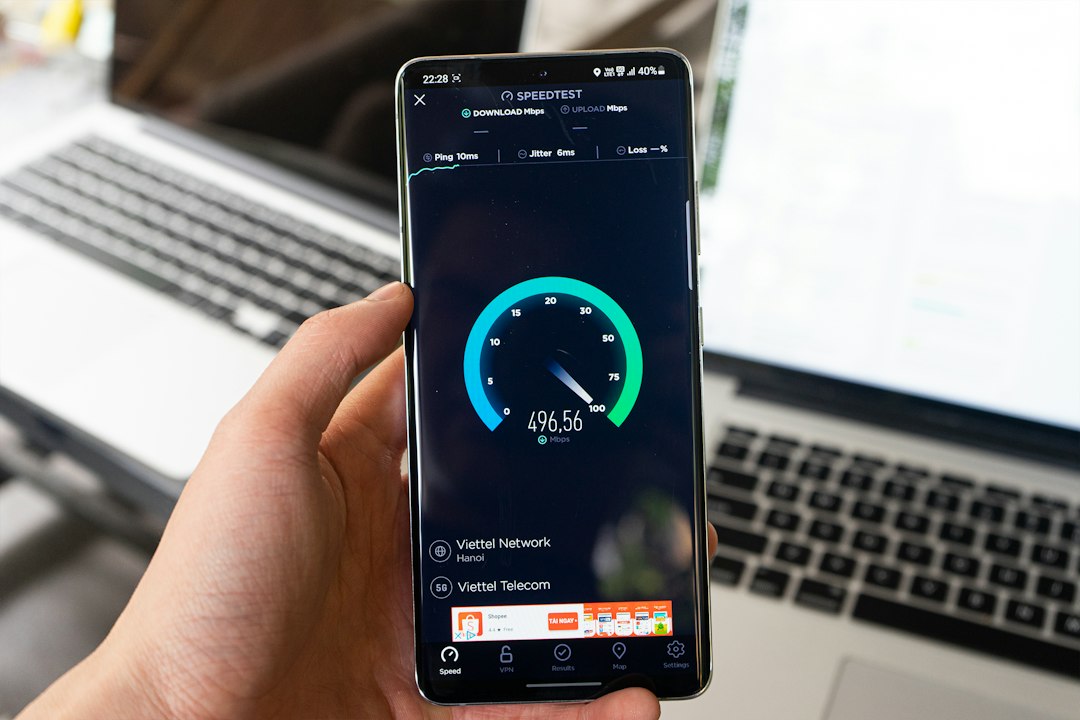
- Tether from your phone. Most smartphones can share their mobile data as a hotspot. If you are going to lean on this for more than a day or two, consider moving to an unlimited data plan so you do not burn through an allowance.
- A portable WiFi device (MiFi) or a 4G/5G home router. These let several devices connect at once, which suits a household or a work setup. They are plug-and-play, so you can be online within minutes of switching one on. Some can be rented short-term and delivered to your door.
- Public WiFi. Libraries, cafes and coworking spaces are fine for emails and quick tasks, though they are less private and secure, so avoid anything sensitive.
- A neighbour's connection. If you are on good terms, ask whether they would share temporarily, and offer to chip in.
Mobile data handles streaming perfectly well, but keep an eye on usage if you are watching in high definition.
Your rights and compensation for delayed activation
This is the part most people do not realise they are owed. Many of the larger providers are signed up to an automatic compensation scheme, which means the money is credited to you without you having to fight for it.
For a delayed start to a new service, the rate is £6.46 per day, running from the missed activation date until your broadband is actually working. If an engineer appointment is missed, that carries a separate payment of £32.31.
Because it is automatic, the compensation usually appears as a credit on your bill, and it should land within 30 calendar days of the issue being resolved. The practical effect is that the financial cost of the delay sits with the provider, not with you.
Separately, under the Consumer Rights Act 2015, a service must be carried out within a reasonable time. If a provider is not signed up to the automatic scheme, or the delay is clearly unreasonable, that is the legal backstop for seeking redress.
Keep your own tally of the days so you can check the credit matches what you are owed.
When to complain, cancel or switch
If the delay keeps stretching, you have a couple of levers.
Cooling-off period. New contracts generally come with a 14-day cooling-off period (Sky's is longer, at 31 days). If the delay runs on for several weeks, you can use this to walk away and go to a different provider instead. Check your own contract for the exact window.
Alternative Dispute Resolution. If you have raised a formal complaint and either it has not been resolved after 8 weeks, or you have reached deadlock sooner, you can take it to an independent ADR scheme. In telecoms these are the Communications Ombudsman and CISAS. They look at the case independently and can order a resolution. You go to ADR only after the provider's own complaints process has run its course.
So the escalation path is simple to remember: new provider first, then formal complaint with a reference number, then ADR after 8 weeks or deadlock, with the cooling-off period as an exit if you would rather switch away entirely.
FAQs
Why has my broadband activation been delayed? Usually engineer availability, address matching or line provisioning retries, kit not arriving in time, access issues in flats, or provider admin errors. Ask your provider for the specific reason in writing.
How long does installation normally take? About two weeks on average. Longer if a new line or first-time Full Fibre install is needed, shorter if you already have an active line and can self-install.
Can I get compensation if my broadband is activated late? Yes, if your provider is in the automatic compensation scheme. The delayed-start rate is £6.46 per day from the missed activation date until the service works, plus £32.31 for a missed engineer appointment, usually credited within 30 days.
How do I stay online while I wait? Tether from your phone, use a MiFi or 4G/5G home router, rely on public WiFi for quick jobs, or borrow a neighbour's connection temporarily.
Who do I contact if my provider misses the activation date? Your new (gaining) provider, because they coordinate the switch. Get a complaint reference and a firm new date.
When can I cancel or switch if the delay continues? Within the 14-day cooling-off period (31 days with Sky) you can walk away. If a formal complaint is unresolved after 8 weeks or hits deadlock, take it to the Communications Ombudsman or CISAS.
Julian Glover
Julian Glover covers UK home and business broadband, comparing providers, explaining new tech, and helping readers find the right deal for their household.