Full fibre installation day: what the engineer does, step by step
On a straightforward install, a full fibre engineer brings the fibre line to your property if it is not already there, fits a small box inside where the fibre ends, connects your router to it, and tests that the service is live before leaving. The appointment itself often takes between one and three hours. The rest of this guide walks through exactly what happens, in the order it happens, so nothing on the day catches you out.
What full fibre installation actually involves
Full fibre is different from the old copper broadband because the connection runs on fibre optic cable right into your property. It is faster, usually more stable and better suited to a house where someone is on a video call, someone else is streaming in 4K and a console is downloading a game in the background. But it also means the engineer may have to do more than swap a router.
There are really two parts to the job. First, the line is brought from the street network to your property if it is not there already. Second, the engineer fits the equipment inside, tests the light levels and the connection, and makes sure the service is live.
If your address is already marked as ready for service, a lot of the outside work may be done, and the visit is mostly the indoor setup. If it is not, there can be extra steps, sometimes construction work, before the appointment in your calendar can go ahead.
Before the engineer arrives: what to prepare
Most delays on the day come from access problems, not technical ones, so the useful preparation is practical.
If you live in a house, think about where the cable is most likely to enter. Engineers often reuse the route the old phone line took, but not always. If that route is blocked, damaged or impractical, they may need an alternative path along an outside wall and into a different room.
Flats are more involved. The engineer may need access to a riser cupboard, a comms room, a basement or another shared area. In some buildings the fibre is already tidy and labelled and the job is quick. In others, a single locked cupboard can stop the whole thing. If you rent, check whether your landlord or managing agent needs to approve any drilling or cable runs before the appointment.
Decide where you want the router in advance, and pick the spot that will actually work best rather than wherever there happens to be a spare table. A central position usually beats tucking it behind the telly in a far corner. Finally, make sure there is a free power socket near where the equipment will go. If the only socket is behind a wardrobe that has not moved since 2017, move it before they arrive.
Step 1: Running the fibre from the network to your property
The engineer starts outside. They check the external route and confirm where the cable will come into the property. The fibre is pulled from the street network, either overhead from a pole or underground through a duct, to a point on the outside of your home.
The condition of that path matters. If the underground duct is usable and clear, this part is quick. If it is blocked, the cable cannot be pulled through until the obstruction is cleared, and that can push the work beyond a single visit.
Step 2: Fitting the external connection point
Once the fibre reaches the property, the engineer installs or connects the fibre termination point on the outside wall. This is where the external network hands over to the cabling that goes inside.
Expect some drilling if the property has not had full fibre before. It is usually minor, a neat entry point to bring the cable through the wall, but it is still drilling. The engineer is weighing up whether the entry point makes sense for signal coverage and for access to power, not just where it is easiest to put a hole.
Step 3: Installing the optical network terminal (ONT) indoors
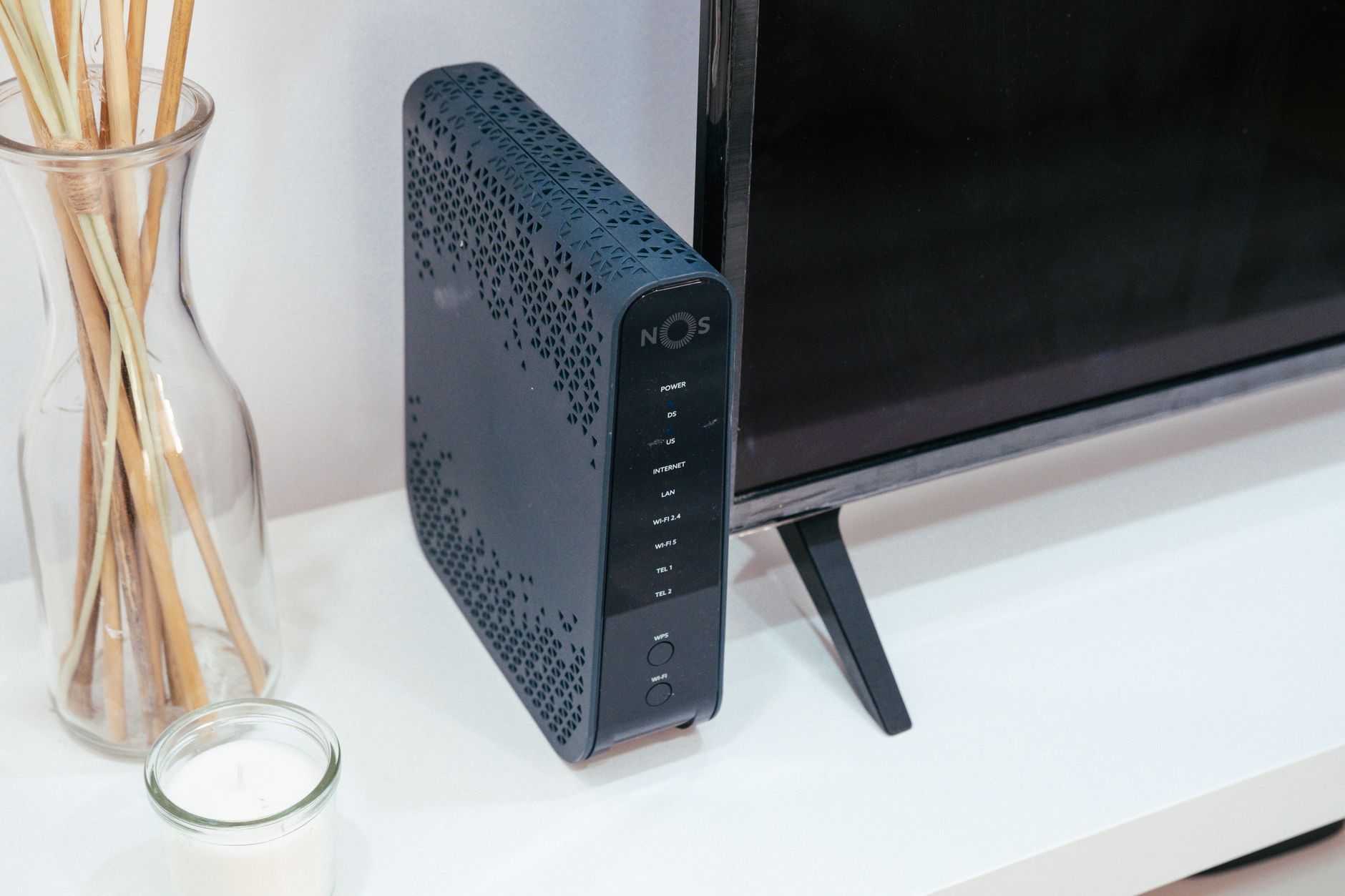
Inside, the engineer fits a small box where the fibre ends. This is usually called an ONT, short for optical network terminal. It sits close to the fibre entry point because that is where the cable comes in, so its position is partly fixed by the route the engineer has chosen outside.
This is where the engineer makes judgement calls. Is the existing duct usable? Can the cable be run neatly without creating a trip hazard? Is the entry point sensible for both coverage and a nearby power socket? If the engineer says the cable cannot sensibly go where you first wanted it, that is usually about a safe or tidy route rather than being awkward.
Step 4: Connecting and activating your router
With the ONT in place, the engineer connects your router to it. The ONT needs to sit near the fibre entry point, but the router position is worth more thought because it decides your Wi-Fi.
Where you can, put the router somewhere open, raised slightly off the floor and central to the rooms where you actually use the internet. Cupboards, thick walls and corners work against you. If you are porting a digital home phone or replacing old voice equipment, there may be a few extra setup steps depending on your package.
Step 5: Testing the connection and confirming speeds
Once the kit is in, the engineer tests the connection, confirms the service is active and often checks the router is broadcasting Wi-Fi correctly. This is the point where the install is signed off as working.
One realistic expectation to hold: the fibre gives you a brilliant connection to the property, but your internal setup still has to do its bit. Not every device will instantly hit the top advertised speed over Wi-Fi. Device capability, router location, wall thickness, interference and your package speed all affect what you actually see. For a home office, gaming or a smart TV that needs to be rock solid, an Ethernet cable is often a better answer than blaming the router.
How long does installation day take?
For a straightforward home setup, the appointment itself often takes between one and three hours. Some are faster. Others drag on because the duct is blocked, the access point is awkward or the building layout will not cooperate.
The wider process can run longer than the appointment. If external construction work is needed before the final install, your live date may land later than you hoped. Sometimes the network operator has to clear a blockage, pull fibre through a duct or complete civils work before the home visit can even happen. That is a different kind of delay from the visit itself, and it is worth separating the two in your head when you book.
Do you need to be home, and who can be present?
Yes. The engineer needs access to the property, and they will be making decisions about entry points, cabling and equipment placement that benefit from someone being there to answer questions. Make sure the person present can give access to any shared spaces and agree where things go.
What can go wrong or delay the install
The most common snag is a blocked duct, the underground path used to pull the cable to the property being obstructed. Sometimes that is cleared quickly, sometimes it needs extra work and another visit.
In blocks of flats, the frequent problem is permission. If the building owner has not approved infrastructure access, the install can stall regardless of how ready the engineering is. Fibre depends on paperwork and property access as much as on cable.
If you are switching from another provider, the aim is to keep the old service running until the new one is ready, with minimal disruption. In practice there can be missed appointments, delayed network work and the odd admin tangle, which is why clear communication from your provider matters more than any advert.
After the engineer leaves: next steps
Once the service is confirmed active, the main thing left is your own home network. Check the Wi-Fi reaches the rooms you care about. If a loft room, a home office or the far bedroom is weak, consider moving the router to a more central, raised spot, or running an Ethernet cable to the devices that need the most reliable connection. The engineer has delivered a fast line to the property. Getting the best out of it indoors is the part that stays in your hands.

Julian Glover
Julian Glover covers UK home and business broadband, comparing providers, explaining new tech, and helping readers find the right deal for their household. Julian is the editor and byline for our reviews, guides and news.