Full fibre vs cable vs part fibre: which broadband type do you actually have?
 Julian Glover
The quickest way to tell these three apart: FTTP runs fibre all the way to your home, FTTC runs fibre to a green street cabinet and then copper the rest of the way, and cable broadband is Virgin Media's own coaxial network. FTTP is the fastest and most reliable of the three. FTTC is slower and its speed depends partly on how far you live from the cabinet. Cable sits in between, closer to full fibre on headline speed but built on a different type of cable.
The confusion comes from marketing. For years, FTTC was sold simply as "fibre broadband", even though the final stretch into your house still relied on the old copper phone line. That has left a lot of people unsure what they are paying for. Below is a plain-English breakdown, followed by exactly how to check what is available where you live.
What is FTTC (fibre to the cabinet)?
FTTC stands for fibre to the cabinet. Fibre-optic cable runs from the telephone exchange to the green roadside cabinet near your street, and the last part of the journey, from the cabinet into your home, uses the existing copper phone line.
That copper section is the catch. Copper degrades signal over distance, so the further your property sits from the cabinet, the slower your connection tends to be. Two houses on the same street can get noticeably different speeds for this reason.
FTTC delivers download speeds up to around 80 Mbps, with upload speeds up to roughly 20 Mbps. It is still the connection most UK homes currently have. There is also a newer variant sold as Ultrafast, technically Single Order Generic Ethernet Access (SoGEA, FTTC), which uses the same fibre-to-cabinet principle but does not need a separate phone line, and can reach download speeds of up to 300 Mbps.
FTTC is being retired. Openreach is winding down its older copper-based services, so if it is what you have now, an upgrade to full fibre is coming at some point regardless.
What is FTTP (full fibre to the premises)?
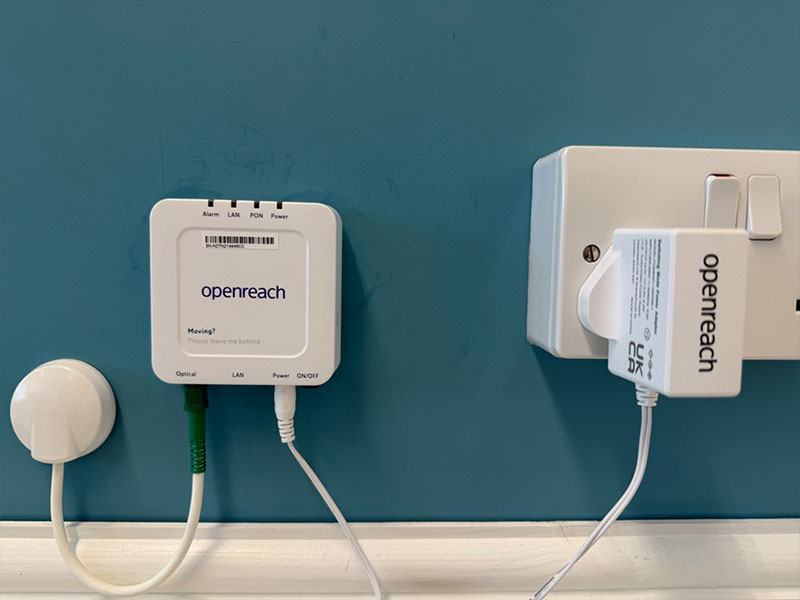
FTTP stands for fibre to the premises, and it is what people mean by "full fibre". Fibre-optic cable runs the entire way, from the exchange to a small box inside your home called an ONT (optical network terminal). No copper is involved at any stage.
Because there is no copper section to slow things down, distance from the cabinet stops mattering, and both download and upload speeds jump. The Openreach full fibre network can support speeds of up to 1.8 Gbps, though the fastest package you can actually order depends on your provider. Many providers, including BT, Sky, Plusnet and Vodafone, currently sell packages up to 900 Mbps, while EE offers selected packages up to 1.6 Gbps.
Installation typically means an engineer running a new fibre line to the property and fitting the ONT box on a wall inside. It stays powered on, and your router plugs into it.
One useful point for anyone worried about being locked into a fast, pricey package: a full fibre line is not fixed to one speed. Once the fibre is in, you can usually order slower, cheaper tiers over the same connection later, so choosing full fibre now does not commit you to gigabit prices forever.
What is cable broadband?
Cable broadband in the UK means Virgin Media. It runs on Virgin's own network, which uses coaxial cable rather than the twisted copper of an old phone line, and it is entirely separate from the Openreach network that most other providers share.
Cable is fast, comfortably into the hundreds of megabits and beyond on Virgin's top tiers. It performs well ahead of FTTC and competes with full fibre on download speeds. The main technical difference from FTTP is that the connection is not pure fibre end to end, and download speeds have historically outpaced upload speeds on cable.
Because cable runs on a completely different network, availability is a separate question entirely. You could have Virgin cable but no Openreach full fibre, or the other way round, or both, or neither.
How the three compare
| FTTP (full fibre) | Cable | FTTC (part fibre) | |
|---|---|---|---|
| How it reaches you | Fibre all the way to the home | Coaxial cable on Virgin's network | Fibre to cabinet, copper to home |
| Typical top download | Up to 900 Mbps to 1.6 Gbps | Several hundred Mbps upward | Up to around 80 Mbps |
| Upload speeds | High, often matching download | Lower than download historically | Up to around 20 Mbps |
| Affected by distance? | No | No | Yes, slows over distance |
| Reliability | Highest, no copper to interfere | Strong | Copper is prone to interference |
| Who provides it | BT, EE, Sky, Plusnet, TalkTalk, Vodafone, Zen and others over Openreach | Virgin Media | Providers over the Openreach network |
A word on reliability. Fibre is less affected by interference, signal loss over distance and environmental factors than copper, which is why full fibre is the steadier performer. FTTC carries the copper section's weaknesses; cable avoids the old phone line but is a shared network in a different way.
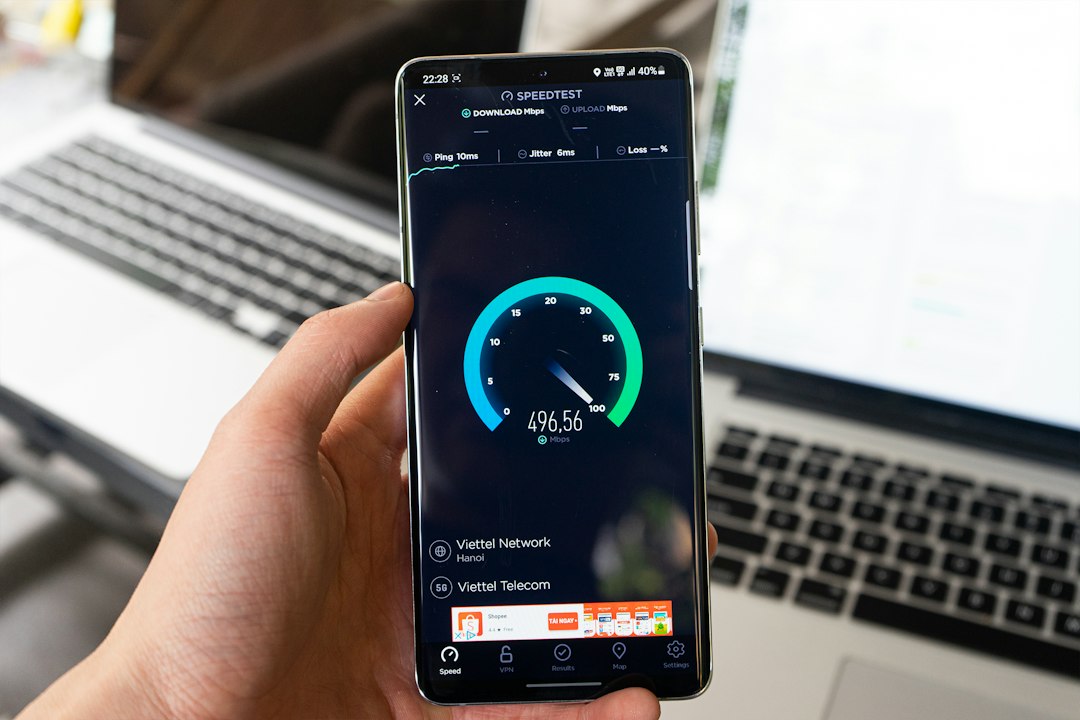
On advertised speeds, remember that quoted figures are usually average download speeds measured on a wired connection at peak time. Your real-world Wi-Fi speed will be lower and depends on your router's position, your equipment, the layout of your home and how many devices are in use. Wired speeds are the fair comparison; Wi-Fi is not guaranteed.
How to check what's available at your address
Because Openreach and Virgin Media are separate networks, you need to check both to get the full picture.
Checking the Openreach network
Openreach runs the UK's largest broadband network and supplies over 650 communications providers, so this check covers most of the market. Use an Openreach full fibre checker, or Openreach's own availability tool, and enter your postcode, then select your specific address.
A good checker will tell you which technologies your address can get, typically flagged as FTTP (full fibre), FTTC (part fibre), G.fast, ADSL or Ethernet, along with the estimated speeds for each. If full fibre shows as available, you will usually be able to pick from several providers running over the same line, so it is worth comparing speeds, prices and contract lengths before ordering.
Openreach does not sell broadband directly to you. It builds and maintains the network; the actual package comes from a provider such as BT, EE, Sky, Plusnet, TalkTalk, Vodafone or Zen.
Checking Virgin Media cable
Because cable runs on Virgin's own infrastructure, an Openreach checker will not tell you whether cable is available. For that you need to check with Virgin Media directly using your postcode and address. If cable reaches your street, it will show up there and nowhere else.
Working out what your current line already uses
If you just want to know what you already have, a few clues help. A property with only a phone socket and no separate fibre box is almost certainly on FTTC or older copper broadband. A small ONT box mounted on an internal wall, with your router plugged into it, points to FTTP. A Virgin Media box and coaxial connection means cable. Your current provider's account details or the original order confirmation will also state the technology, and the speed you are paying for is a strong hint: anything at or below roughly 80 Mbps is very likely FTTC.
Which should you choose?
If full fibre is available and the price works for you, it is the strongest option: fastest, most reliable, better upload speeds, lower latency, and it is where the whole network is heading anyway. Choosing it now can also save an upgrade later, since FTTC is being phased out.
If both FTTP and FTTC are on offer, FTTP is the better long-term buy even if you do not need the top speed today, because you can drop to a cheaper tier on the same line later without redoing the line work. FTTC still makes sense as a lower-cost option if full fibre has not reached you, or if you genuinely only need modest speeds and want to spend less.
Cable is a serious alternative where Virgin reaches, especially for households wanting high download speeds. Weigh it against any full fibre offer at your address on price, upload speed and contract terms rather than assuming one wins by default.
For a household of one or two people mostly browsing and streaming, an entry-level full fibre or FTTC package is usually plenty. Busy homes with 4K streaming, gaming and lots of connected devices, or people who upload large files, benefit most from full fibre's higher speeds and matched upload performance.
FAQs
Which broadband type is fastest and most reliable? FTTP full fibre. It runs fibre the whole way with no copper section, supporting speeds up to 1.8 Gbps on the Openreach network, and it is less affected by interference and distance than FTTC.
Is cable broadband as good as full fibre? Cable competes strongly on download speed and comfortably beats FTTC. The main differences are that it is not pure fibre end to end and its upload speeds have historically trailed its download speeds. For most users the practical experience is excellent.
How do I check whether FTTP is available at my address? Enter your postcode into an Openreach full fibre checker and select your address. It will show whether your property is on the FTTP network and which providers you can order from.
Can I get a slower, cheaper package on a full fibre line? Generally yes. Once the fibre line is installed, you can usually order lower speed tiers over the same connection, so full fibre does not lock you into the most expensive package indefinitely.
Does the ONT box use much power? It stays plugged in and powered continuously, as your router does. It is a small piece of equipment fitted during installation, and it can normally be relocated later if needed.
Julian Glover
Julian Glover covers UK home and business broadband, comparing providers, explaining new tech, and helping readers find the right deal for their household.