FTTP: A Complete Guide to Full Fibre and Choosing the Right Connection
The type of broadband you have matters more than the brand name on the bill, because the cable that reaches your door is not always the same.
The usual wired options in the UK are copper broadband (ADSL), fibre to the cabinet (FTTC), a single-order cabinet service called SOGEA, a related product called G.fast, cable broadband, and full fibre, also known as fibre to the premises, or FTTP. Ofcom uses "full fibre" and "FTTP" for a fibre-optic connection that runs all the way to the home, and "part fibre" or "FTTC" when fibre stops at a street cabinet and copper covers the last stretch.
Why connection type matters
Broadband adverts often lead with a monthly price and an "up to" speed. The connection type sits behind both, because it decides whether the final stretch into your home is fibre, copper or coaxial cable. Ofcom's advice is to check the type, not just the headline speed, and to be careful when a service is described only as "fibre". That word is used for both full fibre and part fibre. Full fibre is usually faster and more consistent because there is no copper in the path. Part-fibre speeds typically fall the further you live from the cabinet.
Installation differs too. A full fibre order on the Openreach network usually means an engineer visit to bring fibre into the property and fit a small wall box, called an optical network terminal or ONT. FTTC and ADSL use the existing telephone line and do not need that box. Cable broadband arrives on a different network, through a coaxial lead rather than a phone-line socket.
If you care about working from home or getting the speed you were quoted, start with the connection, then compare packages you can actually get.
ADSL
ADSL, which Ofcom also calls copper broadband, runs over a traditional copper telephone line all the way from the exchange to your home. There is no fibre in that path.
Ofcom says the maximum achievable download speed for ADSL-based services is up to 24 Mbit/s, and that actual speeds fall with distance. Copper can also be affected by poor weather, and the older network can be more prone to faults than fibre.
If a checker or bill says "standard broadband" and a modest speed, this is often what you have. It can be enough for light browsing, but it is the slowest wired type in this guide. Check whether a fibre or cable service is now available before you renew.
 ## FTTC
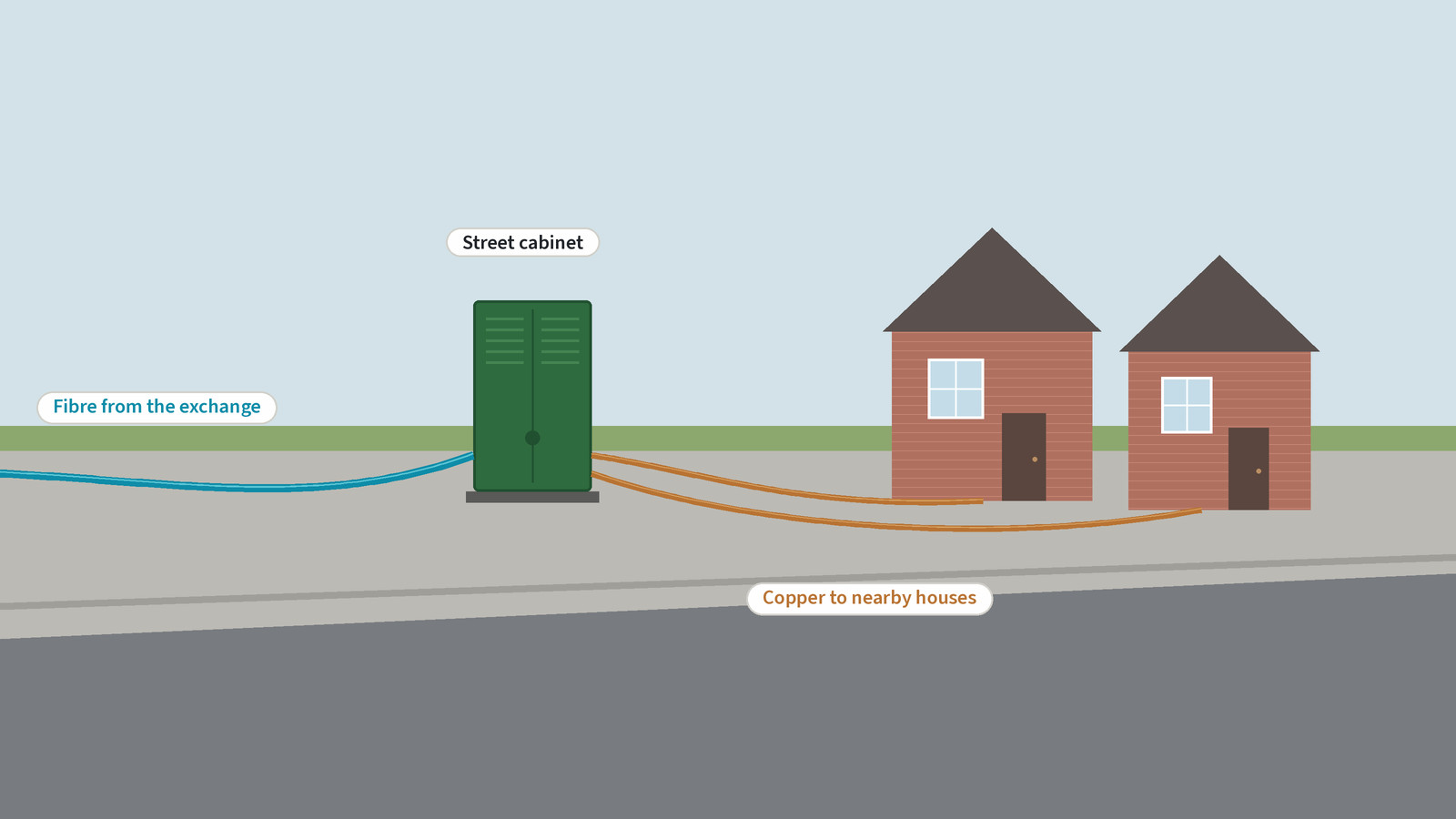
FTTC stands for fibre to the cabinet. Ofcom also calls this part fibre. Fibre-optic cable runs from the local telephone exchange to a street cabinet, and the final connection from that cabinet to the home is usually a copper telephone line.
That last copper stretch is why two houses on the same street can get different speeds. Openreach currently publishes download speeds of up to 76 Mbps and upload speeds of up to 15 Mbps for Fibre to the Cabinet, and says speeds can start to drop noticeably beyond around 300 to 400 metres from the cabinet. It also describes FTTC as reaching 96% of the country. It is a clear step up from ADSL for everyday use, but it is not full fibre. The router typically plugs into the phone-line socket. There is no ONT.
Openreach also notes that the public switched telephone network is due to be retired in January 2027, and that providers should contact customers about moving to a digital phone service.
 ## SOGEA
SOGEA stands for Single Order Generic Ethernet Access. It is the product name Openreach uses when it sells a cabinet-based broadband service that does not need a traditional telephone line sitting underneath it.
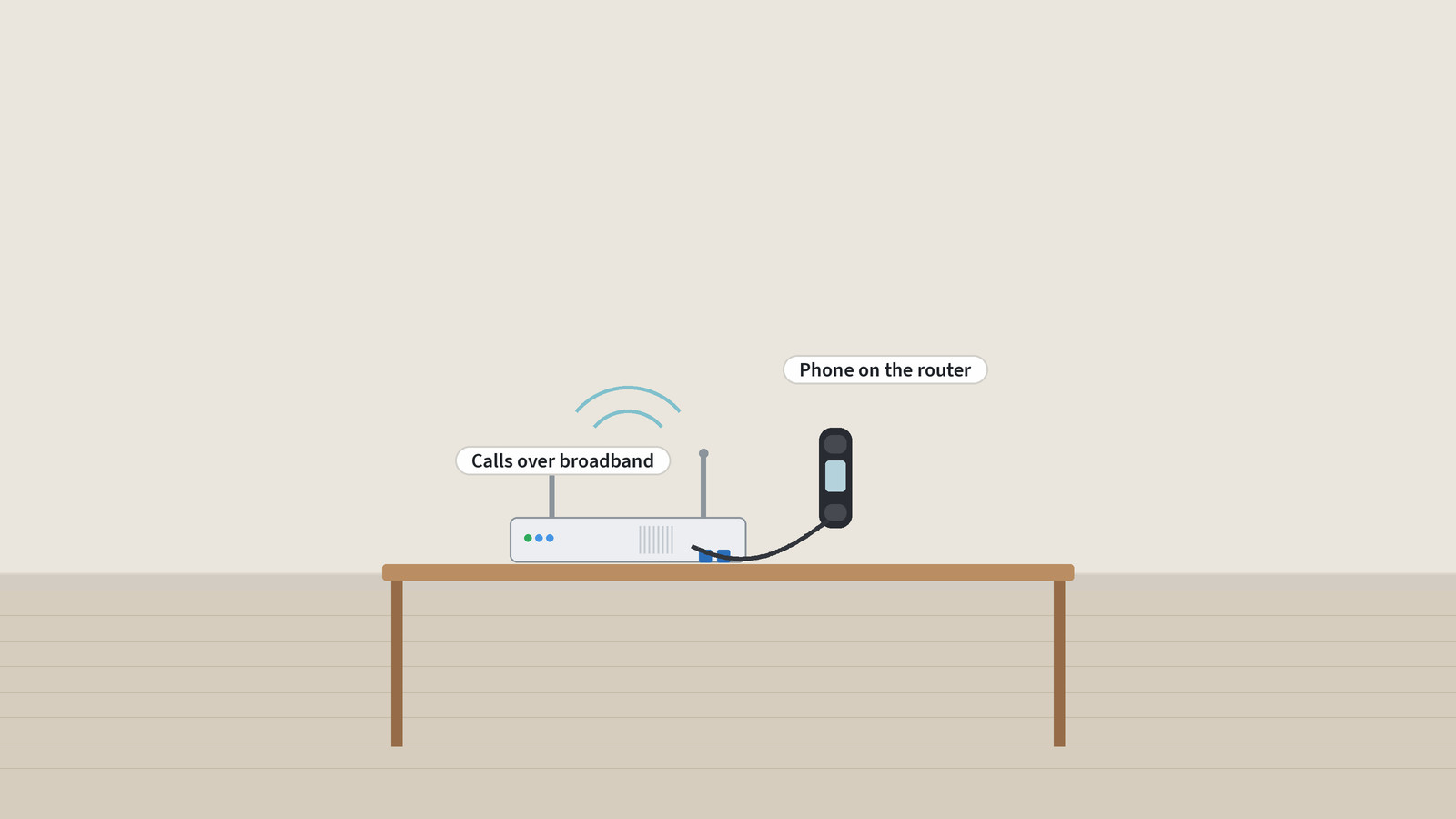
The path to your home looks like FTTC: copper from the premises to the green street cabinet, then fibre from the cabinet back towards the exchange. The difference is the telephone service. With SOGEA, voice calls go over the broadband connection, rather than over a separate analogue line. If you want a home phone, it usually connects through the router, or through a voice port if your provider supplies one.
You may see SOGEA on a checker even if an advert simply says "fibre". Treat it as part-fibre broadband without a traditional landline, not as full fibre. It does not use an ONT.
 ## G.fast
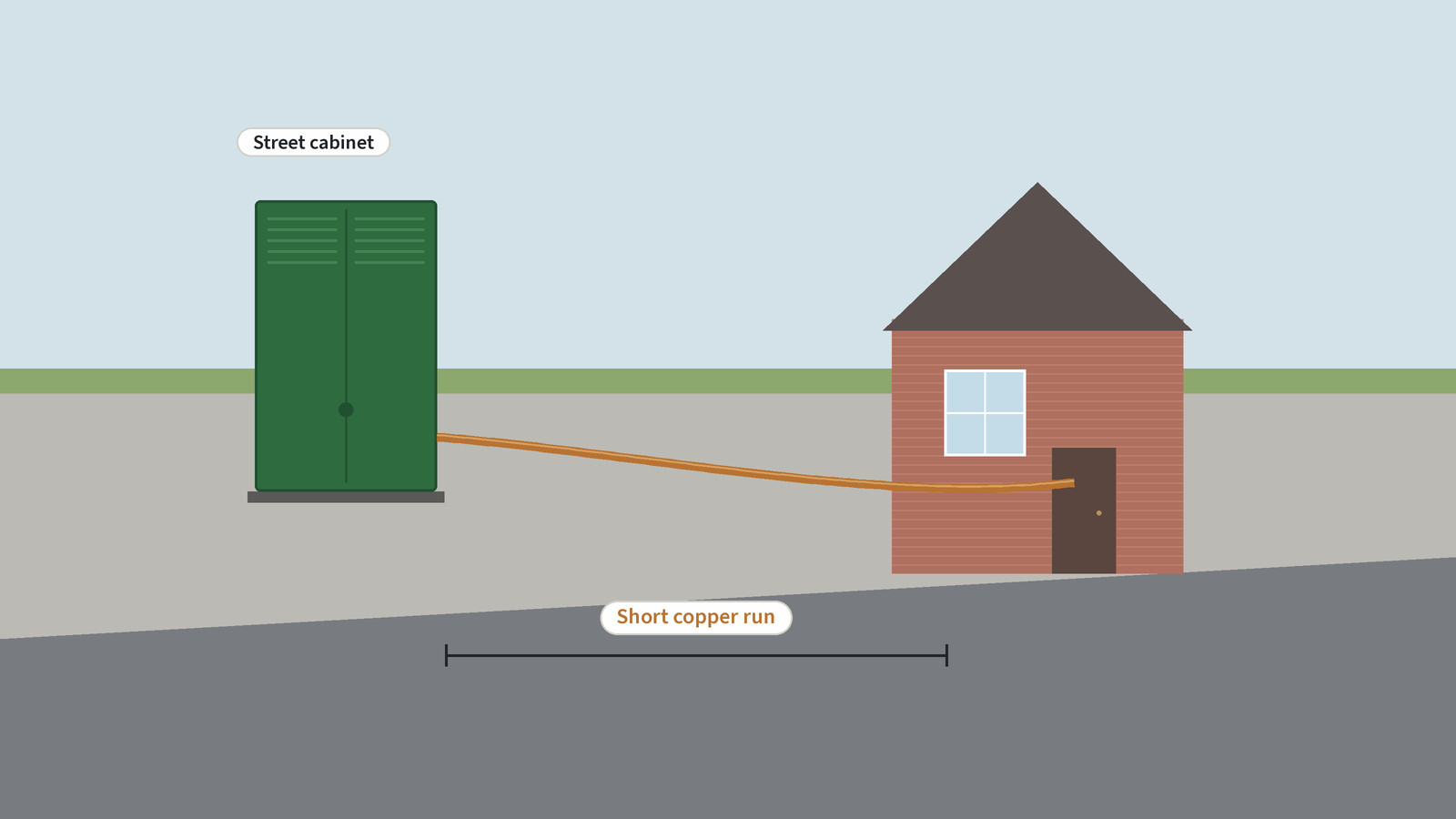
G.fast, which Openreach also writes as GFast, is a faster cabinet-based product that still uses copper for the final stretch into the property. On its fibre broadband overview, Openreach groups G.fast with FTTC: fibre to the local cabinet, then copper from the cabinet to the home or business.
It is designed to give a boost over a shorter copper run than standard FTTC, and it is not available at every cabinet. If a checker mentions G.fast, confirm the estimated speed for your property. The router still connects over the copper lead, not through an ONT.
 ## Cable
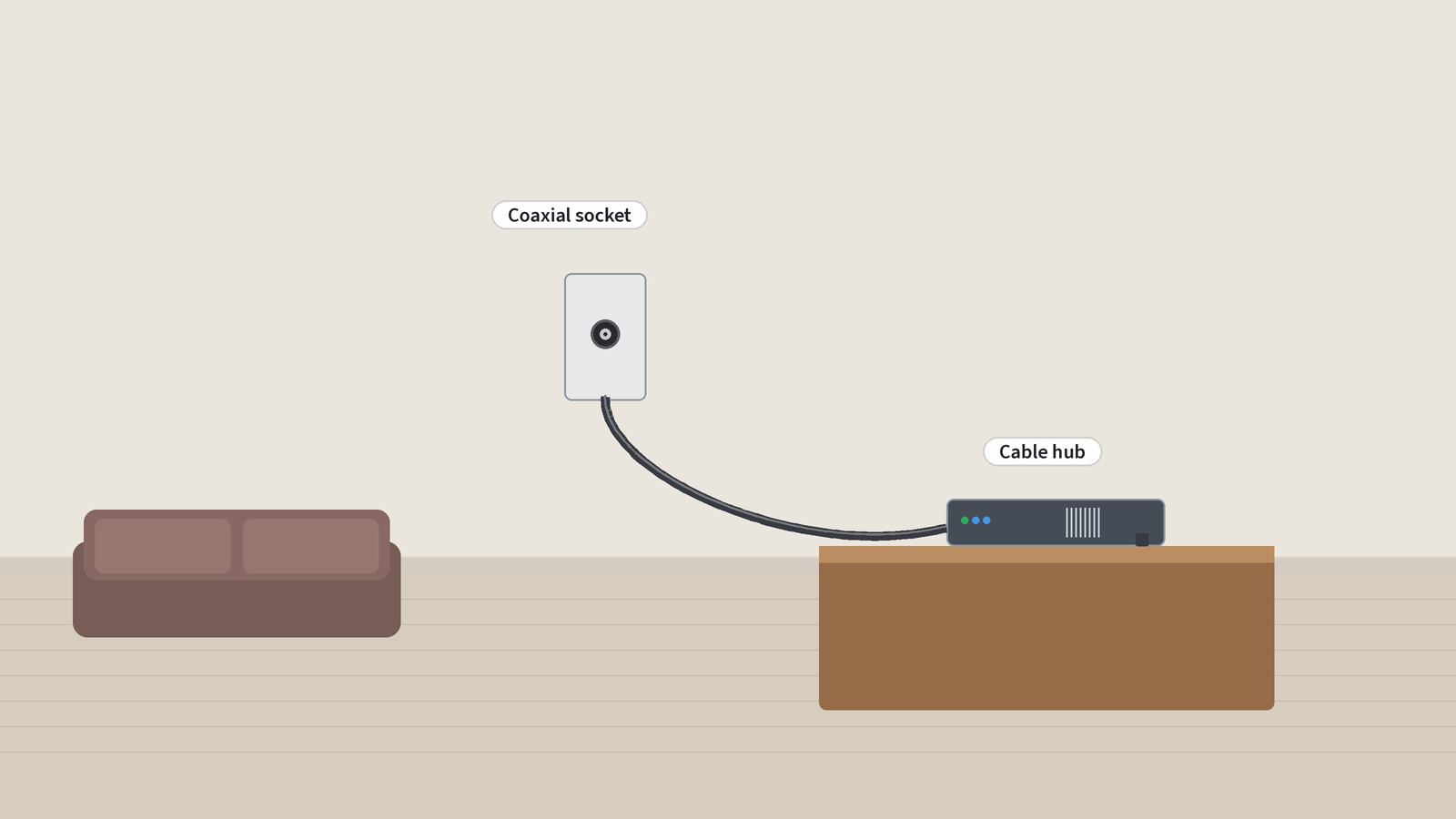
Cable broadband is a different technology from the Openreach telephone network. Ofcom describes it as a fibre-optic connection from a local hub to the street cabinet, with the final connection to the home over coaxial cable: a copper core, a metal sleeve and a plastic covering.
In much of the UK, the well-known retail cable network is Virgin Media. Availability is address-specific, and you can sometimes get cable where Openreach full fibre is not yet available, or the other way around.
Cable can deliver high speeds, and Ofcom groups it with the faster wired options alongside full fibre. It is not FTTP, because the last stretch is coaxial cable rather than fibre all the way to the premises. The wall fitting and the provider's hub also look different from a phone-line router or an ONT.
 ## FTTP
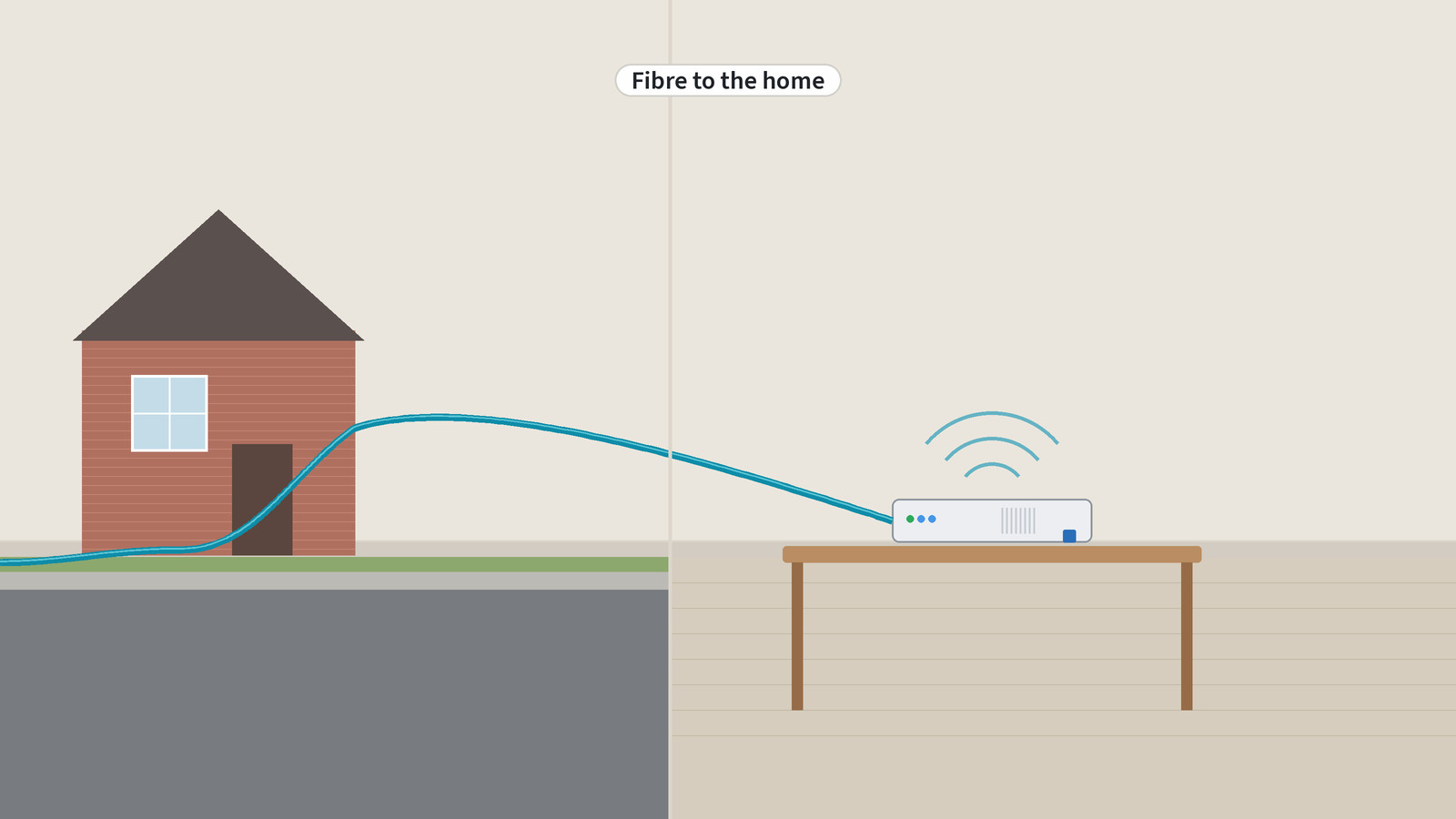
FTTP stands for fibre to the premises. Ofcom also calls it full fibre: a fibre-optic connection all the way from the local exchange to the customer's home. Openreach uses the same idea, and also calls it Fibre to the Home.
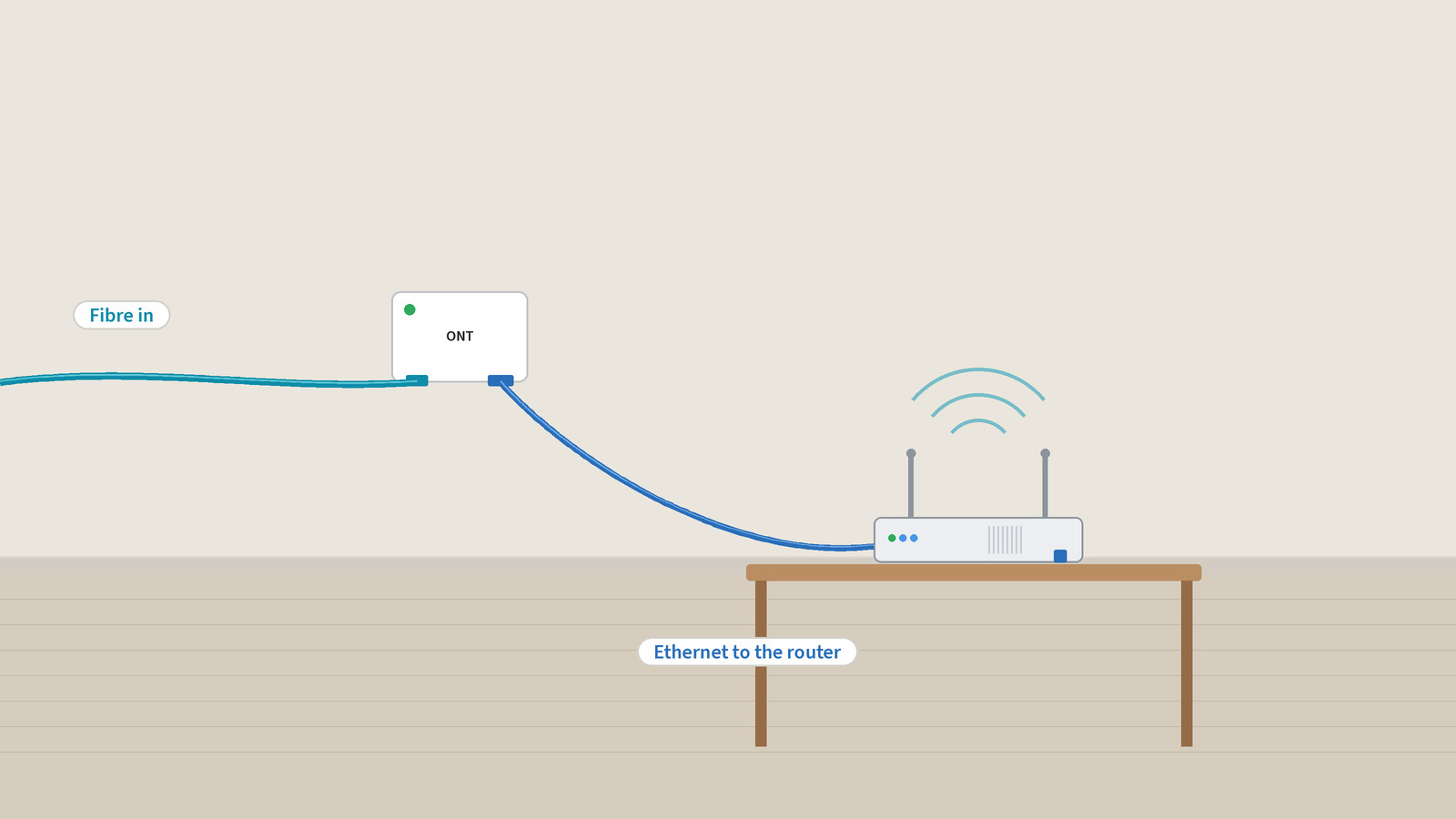
There is no copper in that path. The fibre ends at a small powered wall box, the ONT. Your router plugs into it with an Ethernet cable. The ONT is not a router and does not create Wi-Fi. It converts the optical signal so the router can use it. Ofcom also calls this box the fibre connection box.
Because the last stretch is fibre, speed no longer depends on distance from a street cabinet in the way FTTC does. Openreach currently publishes download speeds of up to 1,600 Mbps for its full fibre service. The package you can actually order is set by your provider, and once the fibre is in you can usually choose a slower or faster tier on the same line later.
Installation typically involves an engineer visit to bring the fibre in and fit the ONT. You order from a broadband provider, not from Openreach directly.
 ## How to tell which one you have
Start with the box in your home, then confirm with a checker.
If you have an ONT on the wall, and the router plugs into that box rather than a telephone socket, you have full fibre on that line. On the Openreach network this is FTTP.
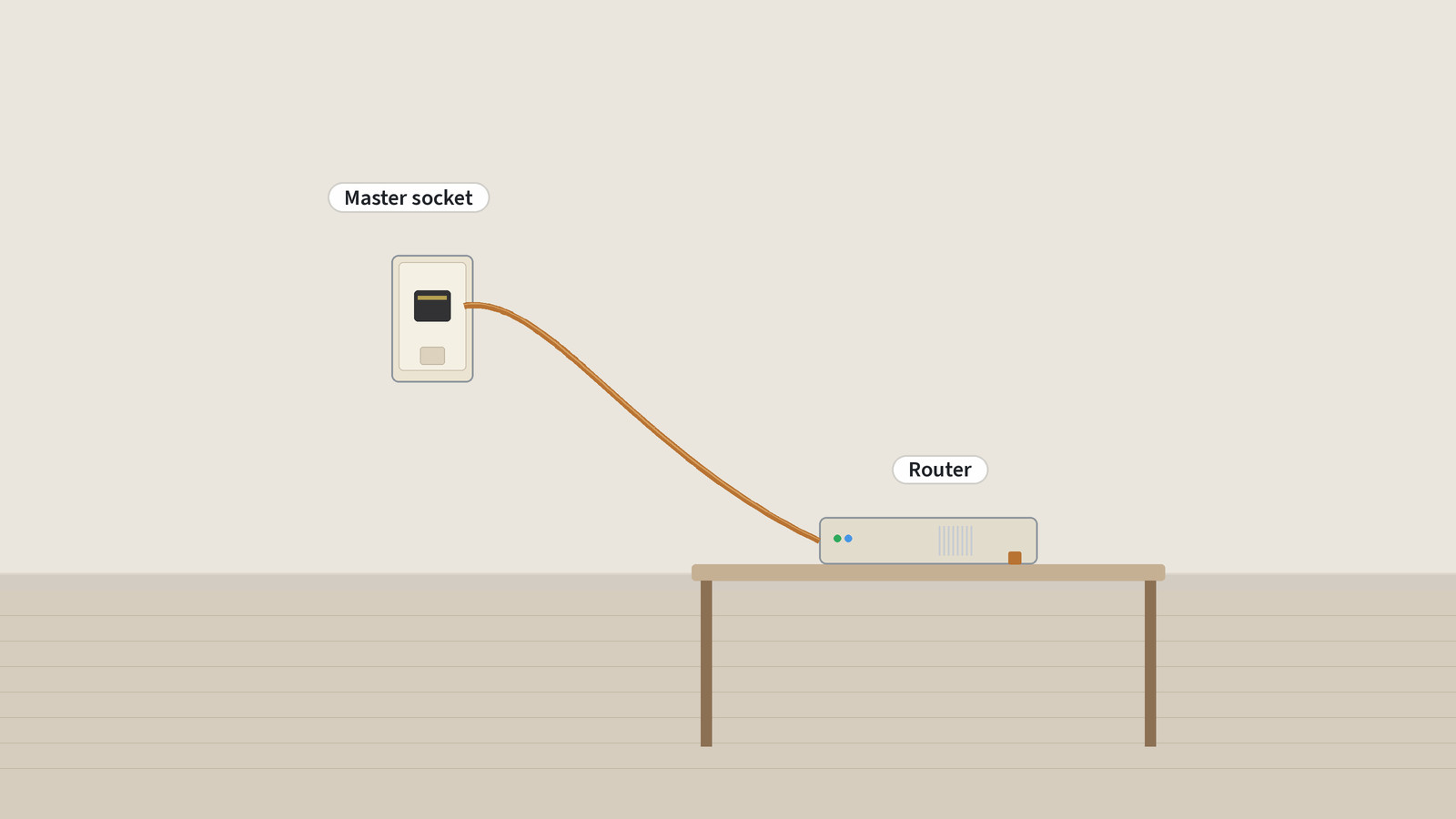
If there is no ONT and the router plugs into a telephone master socket, you are on a copper or part-fibre service: ADSL, FTTC, SOGEA or possibly G.fast. A slow "standard" service is likely ADSL. A faster service on the same kind of socket is likely FTTC or SOGEA. If the connection uses a coaxial wall fitting and a cable hub, you have cable broadband.
Bills can name the service, but marketing language can blur FTTC and FTTP. When the wording is vague, trust the equipment and an address checker. For a closer look at the wall box, see our Openreach ONT box explained guide.
How to check what you can get
Start with Ofcom's free coverage checker. Enter your address at the Ofcom broadband availability checker to see the types of broadband predicted at your property, and the highest estimated speeds those networks have provided. Ofcom says actual availability and speeds can still differ, so treat the result as a guide, then confirm with a provider.
For the Openreach view, including whether full fibre is available to order now, coming soon, or not yet planned, use the Openreach fibre checker. Openreach says the tool is linked to its network records. Availability can vary even on the same street.
A provider's own checker is useful as a third view, especially for cable or a full-fibre network that is not Openreach.
If you are being moved off an old analogue phone line, your provider should explain the change to a digital voice service. We have a separate guide to Openreach stop sell and the landline upgrade.
Compare deals on Broadband Provider
Once you know which connections you can get, compare packages on those types only. A cheap part-fibre deal is not a like-for-like match for a full fibre deal, even if the monthly prices look close.
You can compare broadband deals on Broadband Provider, or go straight to full fibre deals if FTTP is available at your address. Check the contract length, any set-up fee, and the speed the provider says you should get at your property, not just the advertised "up to" figure.
More on fibre, availability and installs
- Full fibre installation day: what the engineer does, step by step
- How to check what broadband speed is available at your address (UK guide)
- Broadband activation delayed? what to do and your rights in the UK
- Full fibre vs cable vs part fibre: which broadband type do you actually have?
- The Openreach ONT box explained: models, ports and UK installation rules
- Missed broadband engineer appointment compensation in the UK: what you’re owed, when it’s automatic and what to do next
Paul Madden
Paul founded Broadband Provider to give UK households an independent, commercially-transparent guide to home broadband. He sets the strategy for the site, approves every story before it is published, and has final editorial sign-off on reviews, guides and corrections.
He also oversees commercial partnerships, running affiliate partnerships and advertising separately from editorial decisions. Commercial terms never influence how deals are ranked or what a review says.